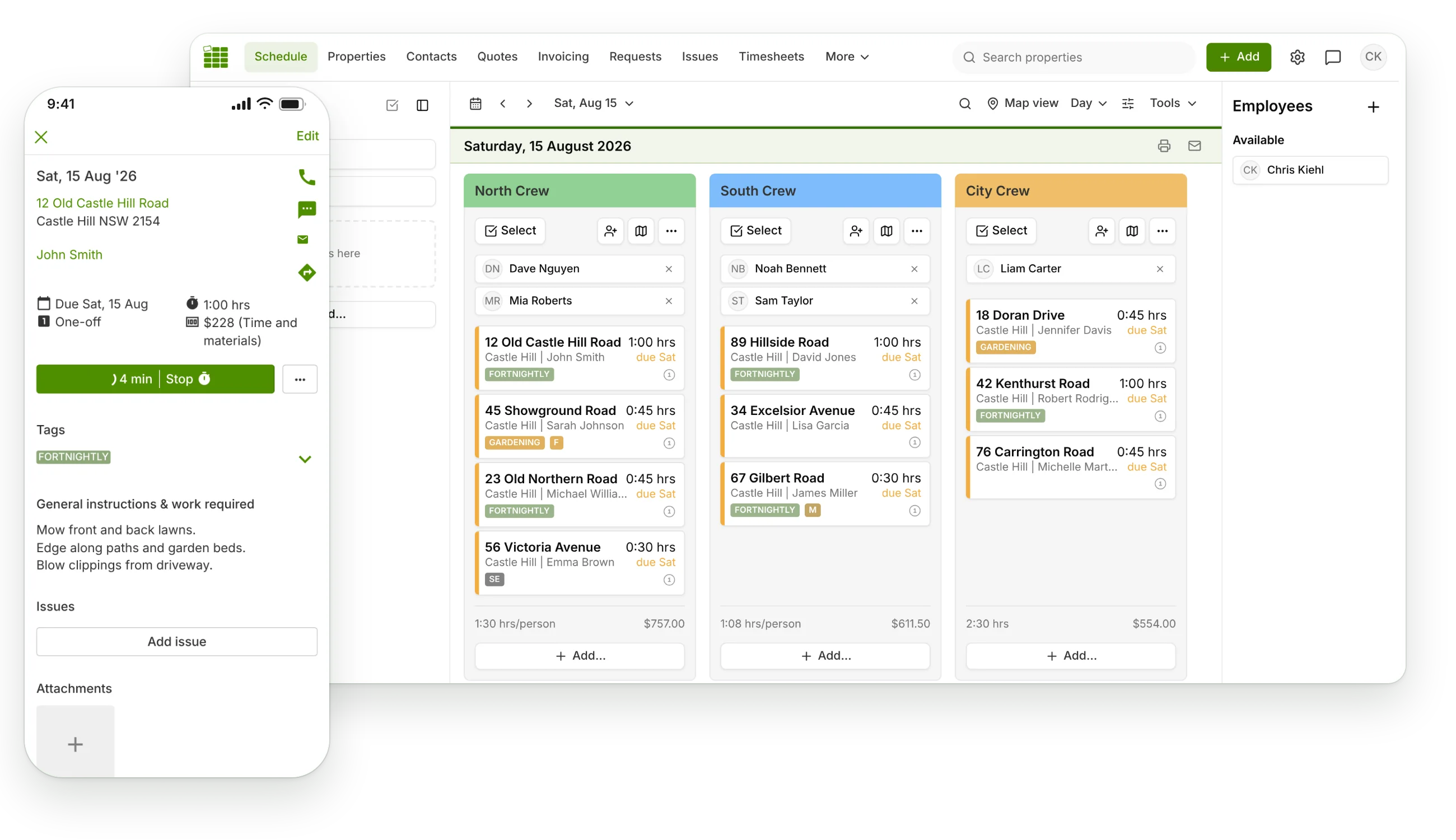
One-tap visit timer
Crew arrives, taps start. Job done, taps stop. Time on site is captured automatically, and marking the visit complete stops any running timers.

Time tracking
Guessing hours at the end of the week costs you money twice: unbilled time and mispriced jobs. SortScape captures time and materials as the work happens, then feeds them straight into invoices, reports, and payroll-ready timesheets.
Job timer and expense tracking on every plan.
The same hours your crew records on site power your invoices, your payroll timesheets, and your profitability reports.
Crew arrives, taps start. Job done, taps stop. Time on site is captured automatically, and marking the visit complete stops any running timers.
Fertiliser, mulch, green waste fees: record materials against the visit from your priced catalogue, with markup applied, so they reach the invoice.
Employees submit their hours each week. Set a submission deadline, require approval, and assign an approver per team so payroll gets clean numbers.
See which properties blow their time budget. Premium reports compare estimated and actual hours per property, employee, and visit.
Add or edit hours manually on any visit before it is invoiced. Timers help, but they never hold your billing hostage.
On Premium, job photos carry automatic timestamps. Handy proof of attendance when a customer asks whether you really came on Tuesday.
Why it matters
You quoted 45 minutes two years ago. The hedges got taller, the garden beds got bigger, and now the crew is there for an hour and a half at the same price. Without time tracking you never see it happening.
With actual hours on every visit, SortScape shows you estimated versus actual time per property, so you can reprice with evidence instead of awkward guesswork.
The full loop:
Crew taps start timer on arrival.
Materials get recorded against the visit.
Visit marked complete, timers stop.
Hours and materials flow onto the invoice.
Weekly timesheets go to payroll, approved.
Reports show which jobs actually make money.
Visits come from your schedule, arrive in the best order thanks to route optimisation, and the tracked hours become invoices the moment work is done. Better data also means sharper quotes next time.
Start a free trial and see what your crew's day really looks like by Friday.