

Archiving properties
Last updated:
You can archive properties that are no longer active. For instance, if a customer cancels service at one location, you can archive that property.
If a contact has many properties, you can archive just one of them. Archiving a property removes it from the active properties list and starts cleanup for related work.
What happens to jobs when you archive a property
Section titled “What happens to jobs when you archive a property”When you archive a property:
- Upcoming jobs for that property are deleted automatically.
- Repeating jobs for that property are set to end today.
- Open issues for that property are deleted automatically.
- These jobs and issues are not restored if you unarchive the property later.
- If a job is already on today’s schedule (or already overdue), it can still appear until someone manually updates it. In that case, open the job and Skip it from the schedule.
- Use Settings → System → Activity log to confirm whether a job was deleted by archiving or manually skipped. See The activity log for more detail.
Only administrators can archive a property. Archiving a contact archives all of its properties in the same way (see Archiving contacts).
If you need to manually remove one scheduled job, follow Rescheduling jobs in SortScape.
Archive on desktop
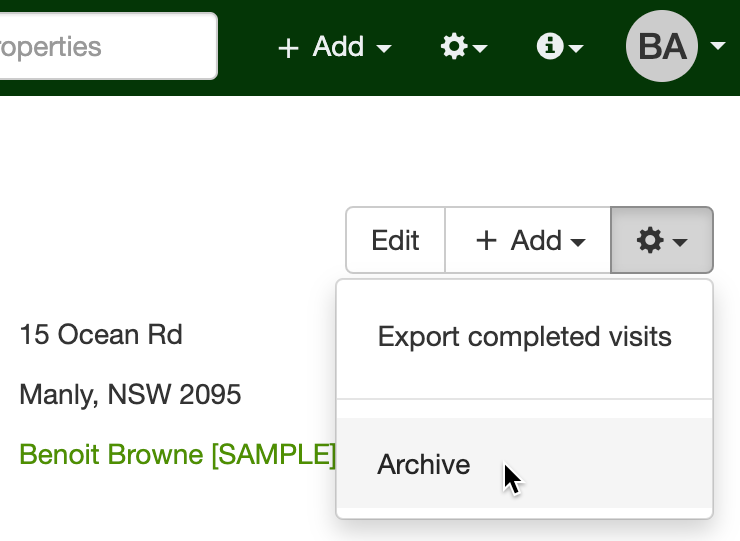
Section titled “Archive on desktop”If you are logged into SortScape through a web browser, navigate to that property and select “archive this property” from the dropdown in the upper right hand corner. You can later un-archive the property if need be.
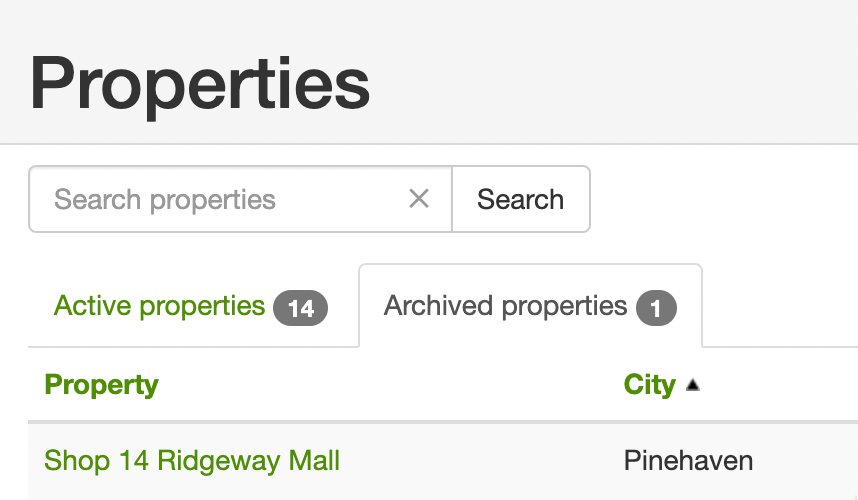
Once archived, open Properties and choose Archived from the status dropdown to search and browse those properties.
Archive in the mobile app
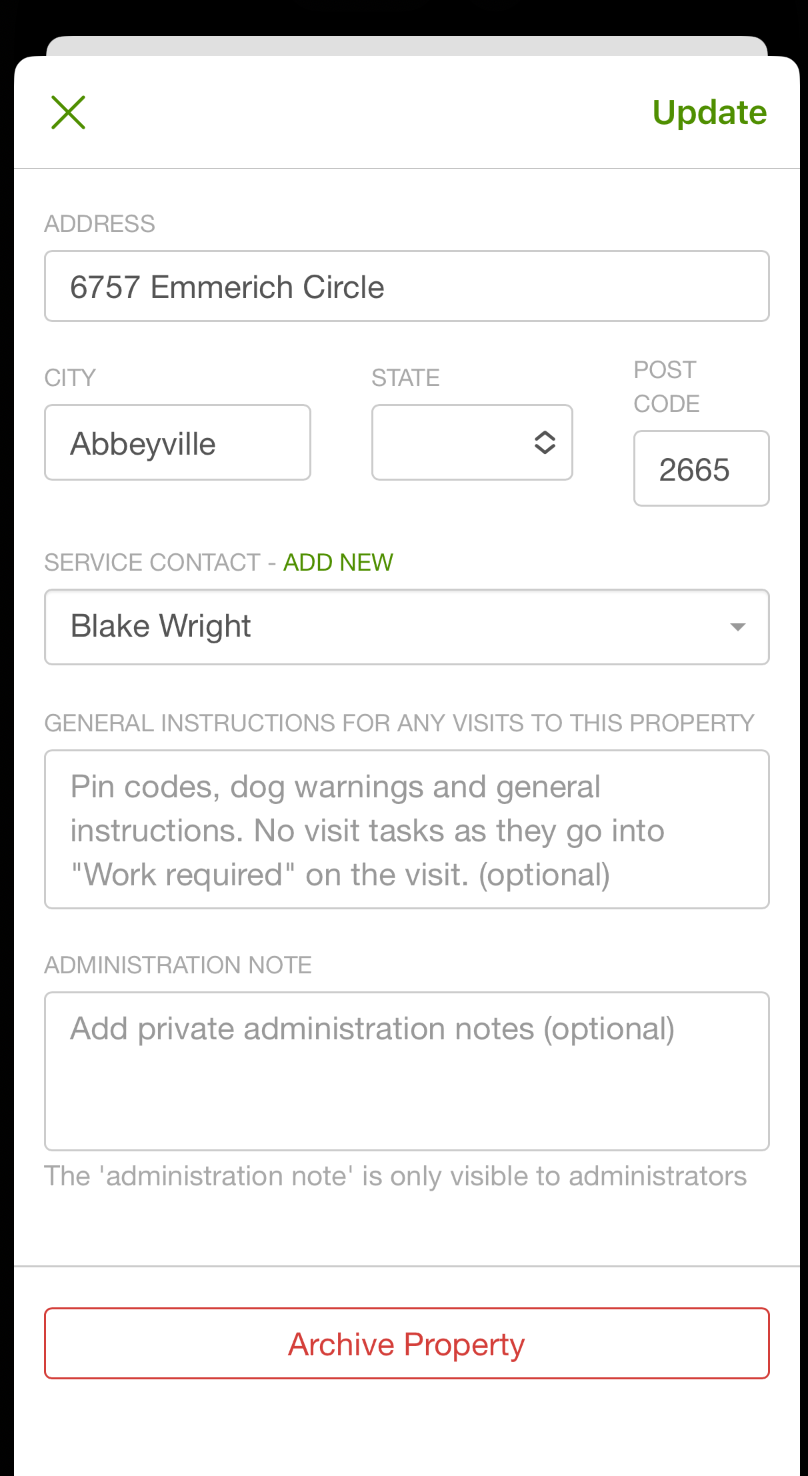
Section titled “Archive in the mobile app”In the mobile app, navigate to the property and click “edit.” Click on the “archive” button as seen at the bottom of the screen.
Unarchive a property
Section titled “Unarchive a property”Only administrators can unarchive a property. Employees don’t see the Unarchive button.
- Open Properties and choose Archived from the status dropdown.
- Open the property.
- Click Unarchive at the top of the screen.
If the property’s contact is archived, unarchiving the property un-archives the contact too.

Deleting properties
Section titled “Deleting properties”We only allow archiving of properties because we’ve had problems in the past where customers accidentally delete their information making it difficult to retrieve. Also, completely deleting a property will also delete the job history for that property which can make inaccurate any historical reporting you do. If you absolutely need to delete a property, please let us know which specific clients you want to delete and we can do it for you.