August 2025: Calendar sync, Smart ETAs, and more
Last updated:
This update was emailed to customers on 29 August 2025. Each item below links to the full how-to article where one exists.
See SortScape visits in your personal calendar
Section titled “See SortScape visits in your personal calendar”Work visits and personal appointments used to live in different calendars. That makes it easy to double-book.
A one-way sync sends the next 12 weeks of SortScape visits to Google Calendar, Apple Calendar, Outlook, and similar apps. Set it up once in a web browser. Changes flow from SortScape to your calendar, not the other way.
See Syncing with external calendars.
Smart ETAs and a start time for the run
Section titled “Smart ETAs and a start time for the run”Customers want a realistic arrival window. Guessing from a list of stops is slow and often wrong.
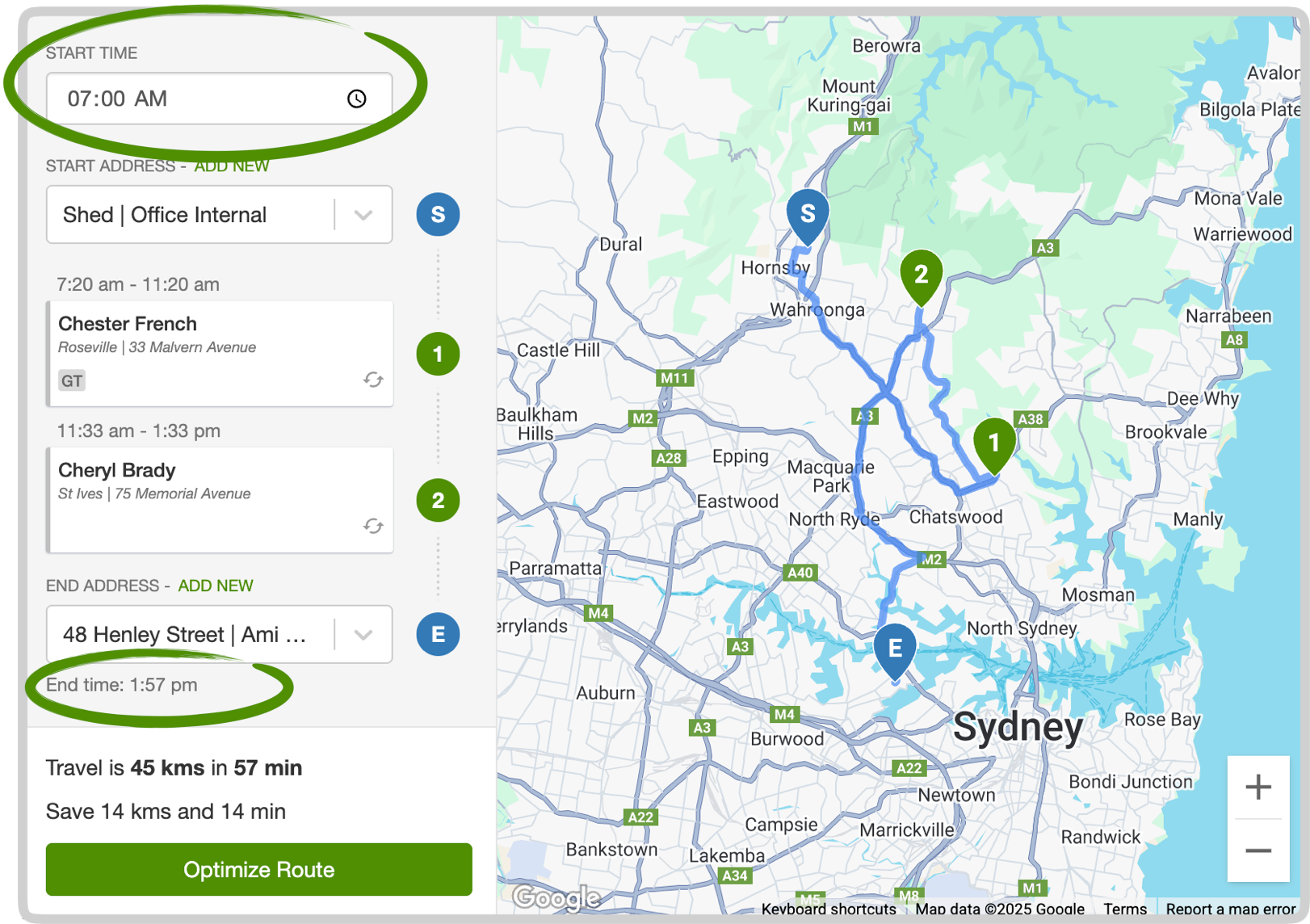
Set a start time on a run and SortScape calculates arrival and finish times for each visit, plus when the whole run should end. Travel time between stops is included.
See Smart ETAs.
Larger routes on Premium
Section titled “Larger routes on Premium”Longer days used to mean splitting work across several runs so route optimisation would accept them.
On Premium you can optimise up to 150 stops in one run. The basic plan stays at 25.
See Large routes.
Automatic quote and invoice reminders
Section titled “Automatic quote and invoice reminders”Chasing open quotes and overdue invoices takes time you would rather spend on the tools.
On Premium, SortScape can follow up outstanding quotes by email or SMS. If you use built-in invoicing, it can also remind customers about invoices that are due soon or overdue.
See Following up on open quotes and Automatic invoice reminders.
Invoice a visit before it is complete
Section titled “Invoice a visit before it is complete”Sometimes you need to bill before the work is done. You used to have to mark the visit complete first.
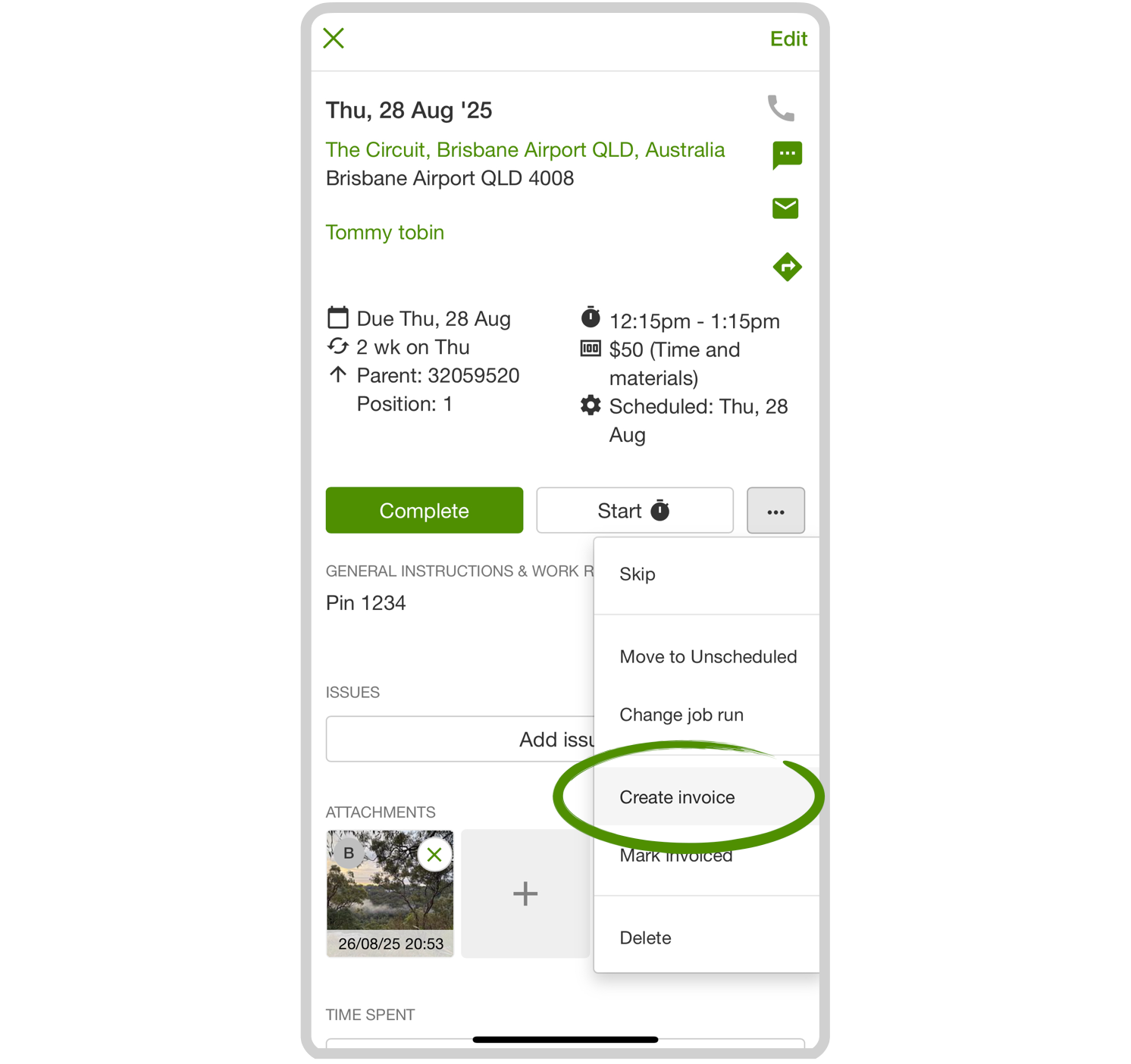
Open the visit, use the menu next to Complete, and choose Create invoice.
See Can I invoice customers before work is complete?.
Pin a property on the map
Section titled “Pin a property on the map”When the map pin is in the wrong place, crews get sent to the wrong gate or the wrong end of a rural block.
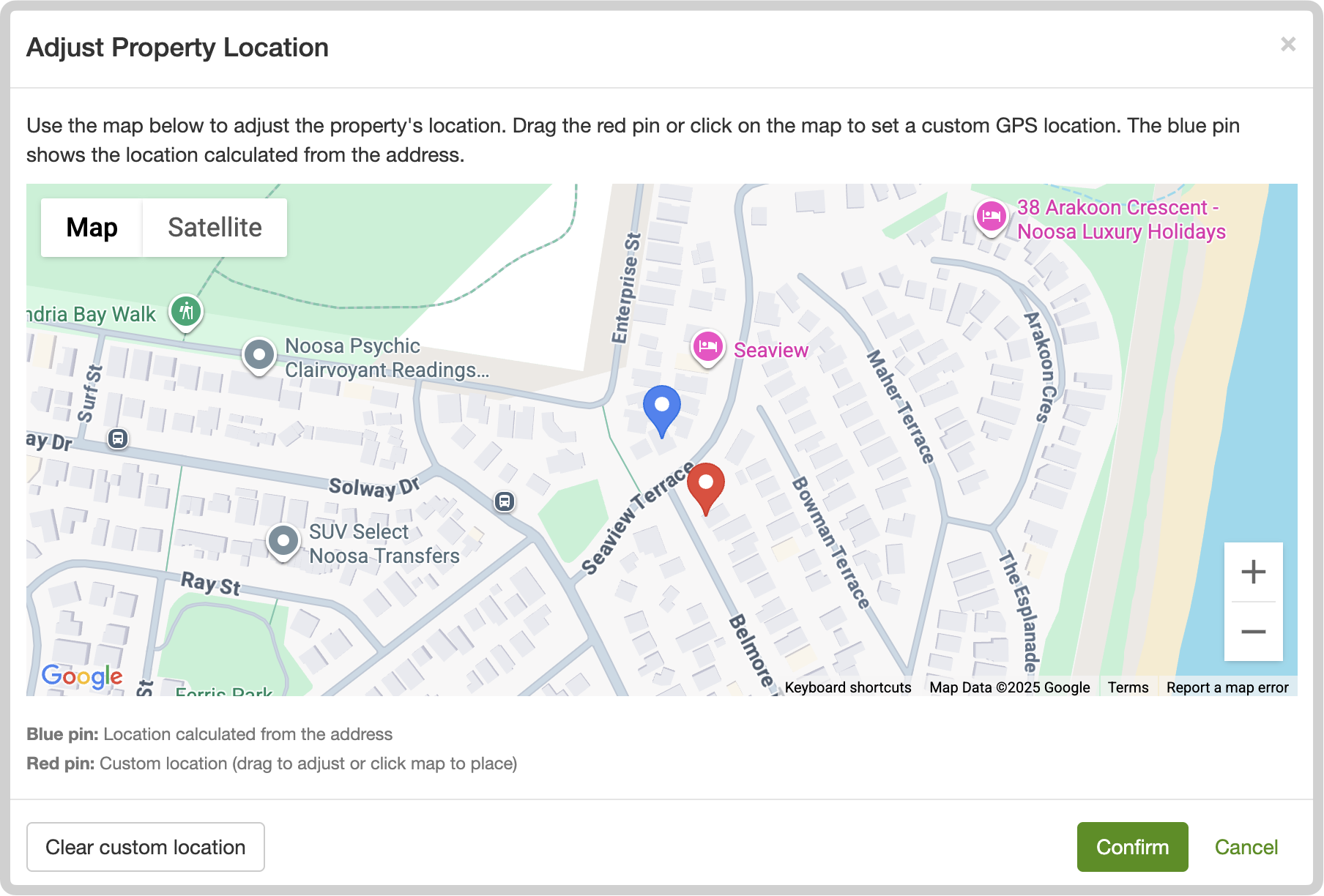
You can set GPS coordinates on a property so directions and routing use the pin you chose.
See Adjust property location on the map (GPS pin).
Other improvements
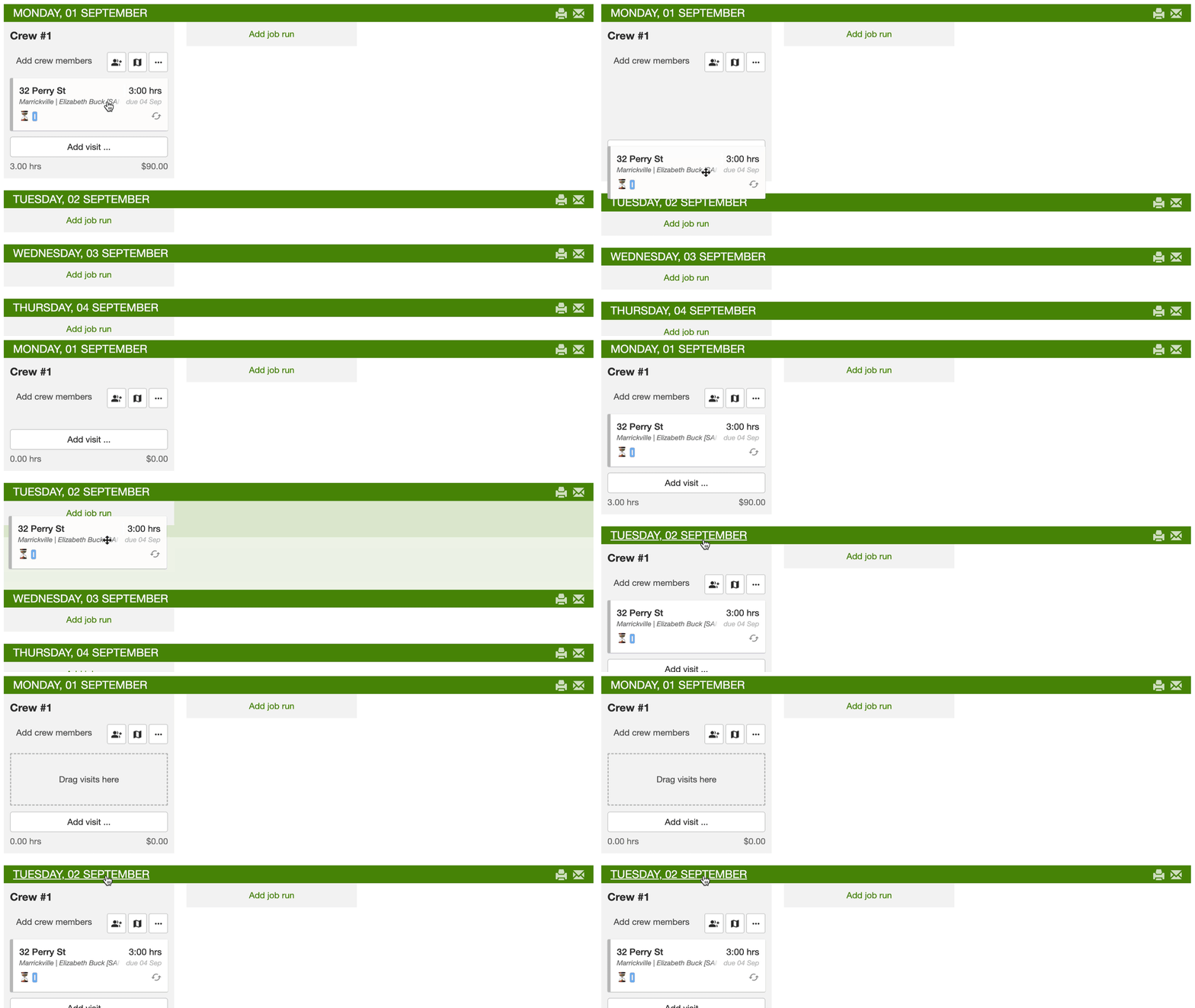
Section titled “Other improvements”- Drag a visit onto a day that has no job run yet and SortScape creates the run for you. If you have more than one crew, you pick the crew after you drop it. See Rescheduling visits.
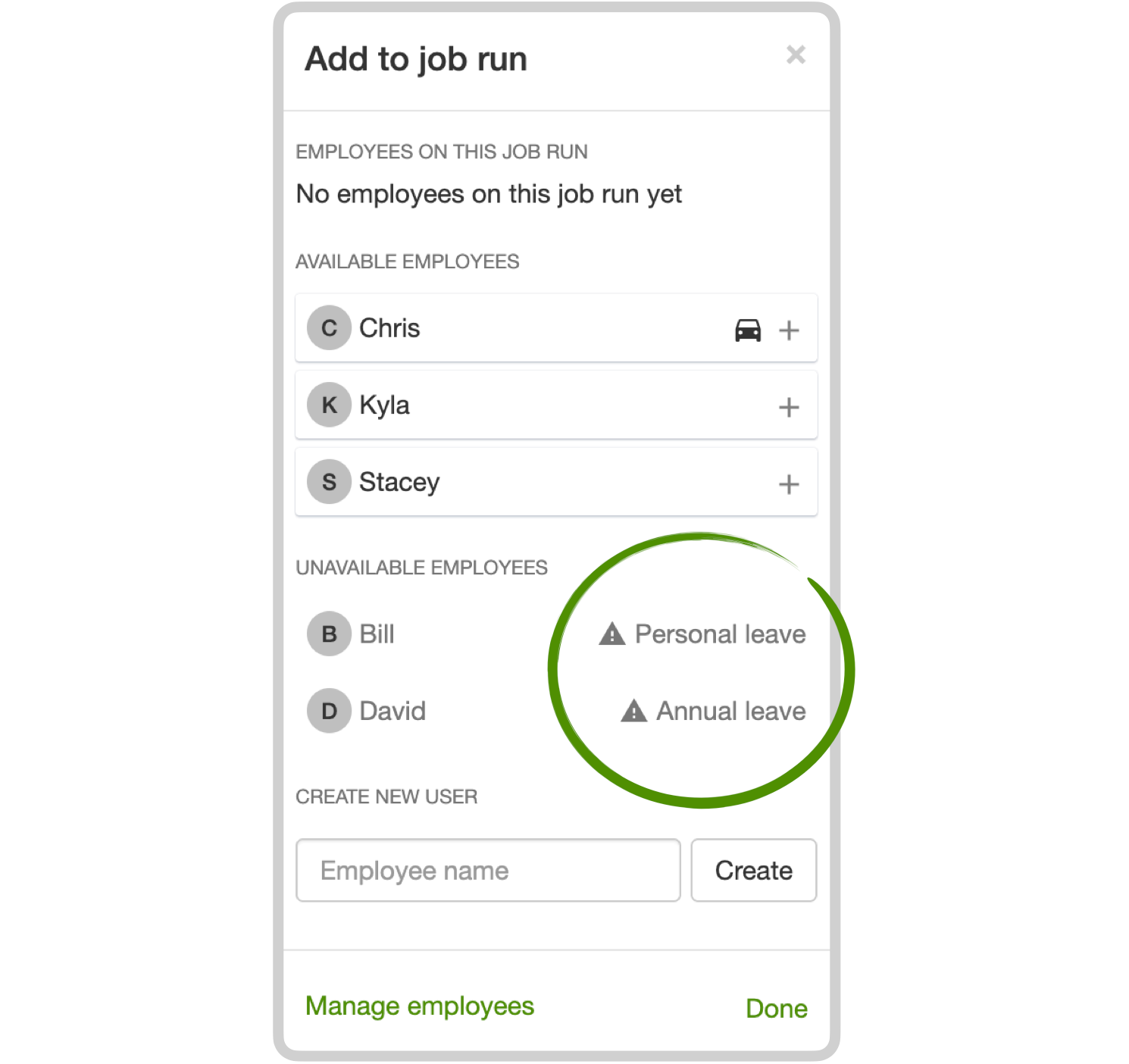
- When you add staff to a job run, you can see unavailable employees and why they are off. See Seeing who is away from the schedule.
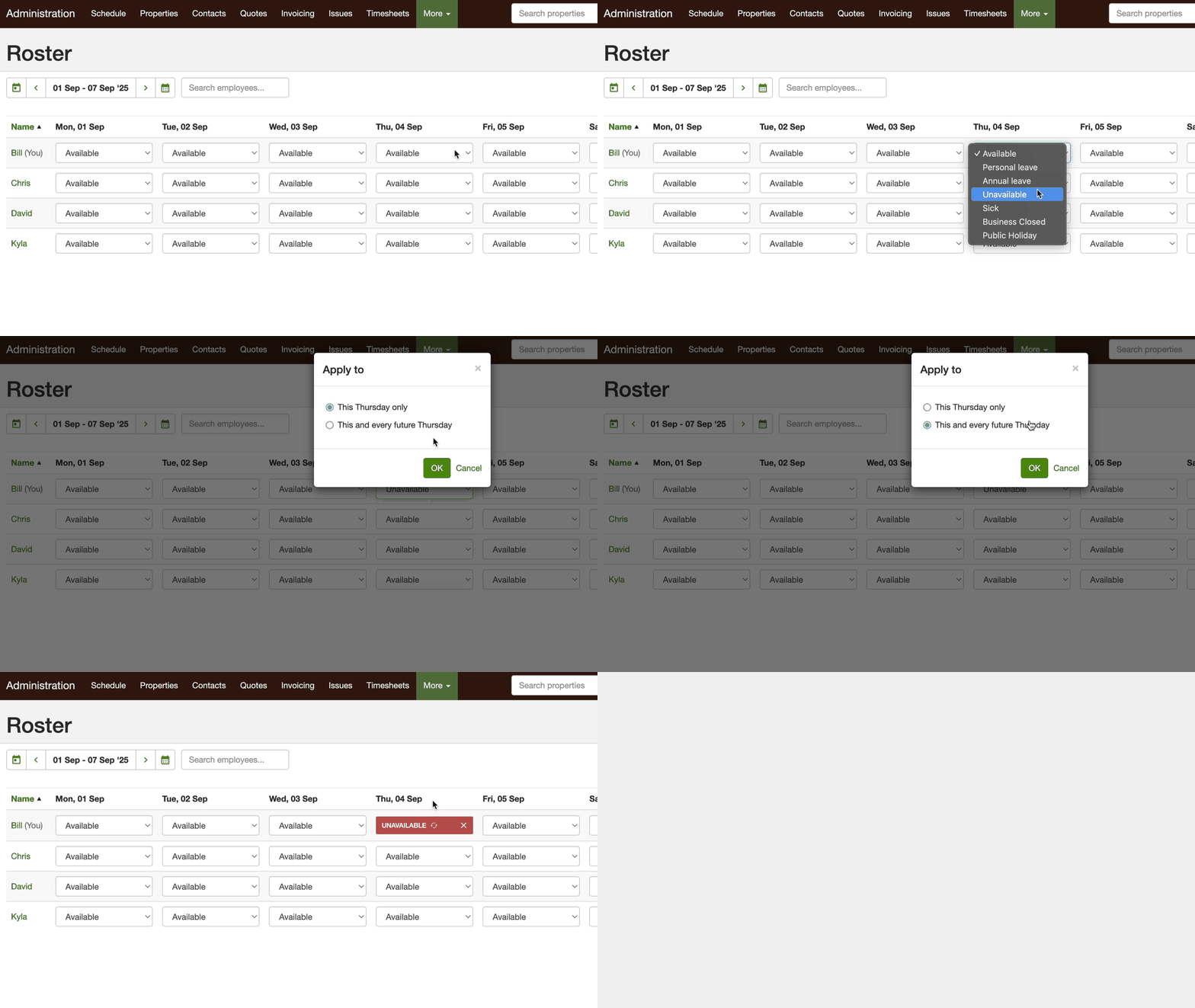
- Set repeating days off on the roster (for example every Friday) instead of updating availability each week. See Repeating unavailability.