

April 2025: Copy quotes, precise visit times, and mobile issues
Last updated:
This update was emailed to customers on 25 April 2025. Each item below links to the full how-to article where one exists.
Copy a quote to another property
Section titled “Copy a quote to another property”Sending similar quotes used to mean starting from a blank form each time.
You can copy an existing quote and assign it to another property, keeping the line items and notes.
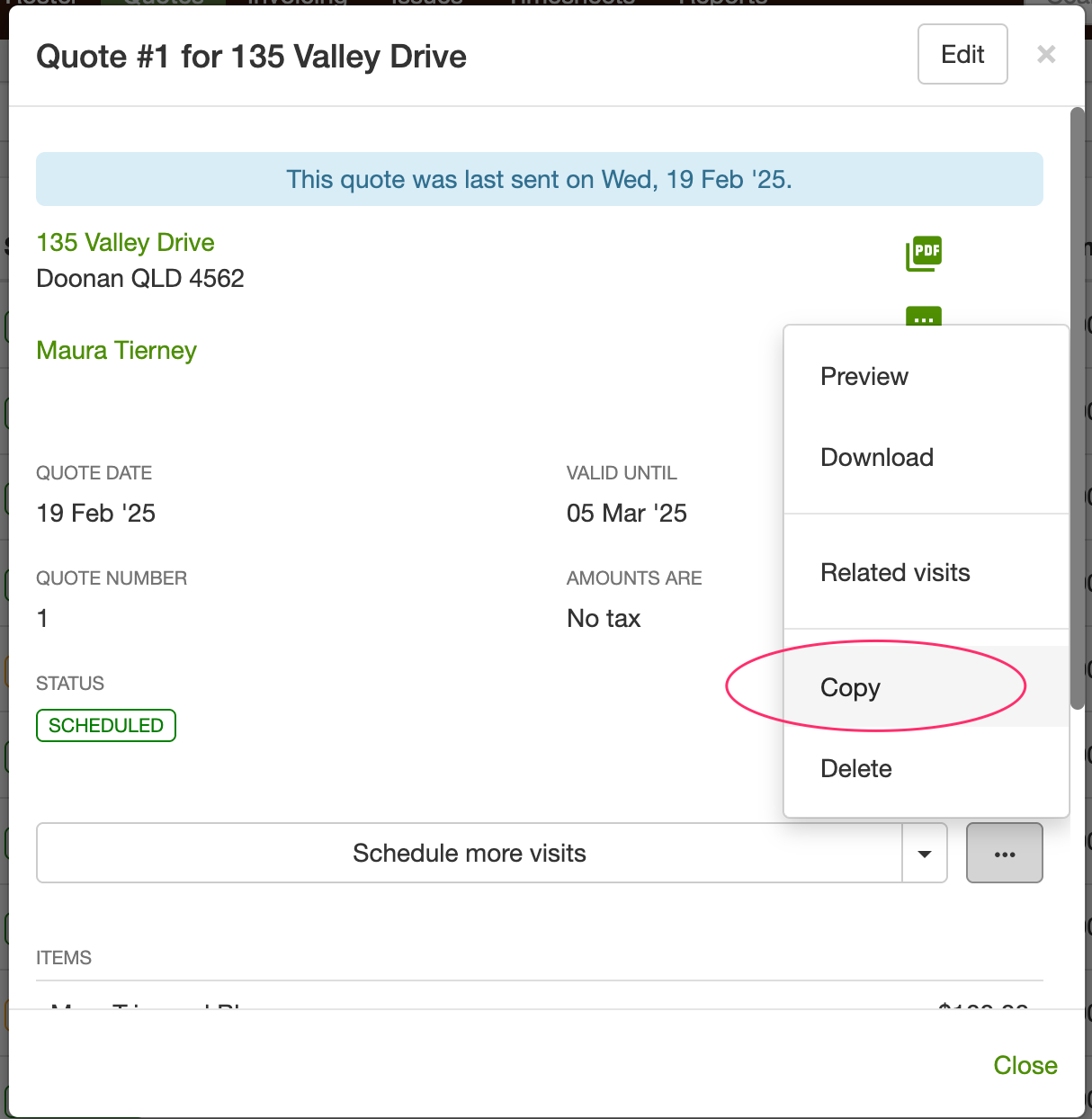
See How do I change the property on a quote?.
View quotes by status
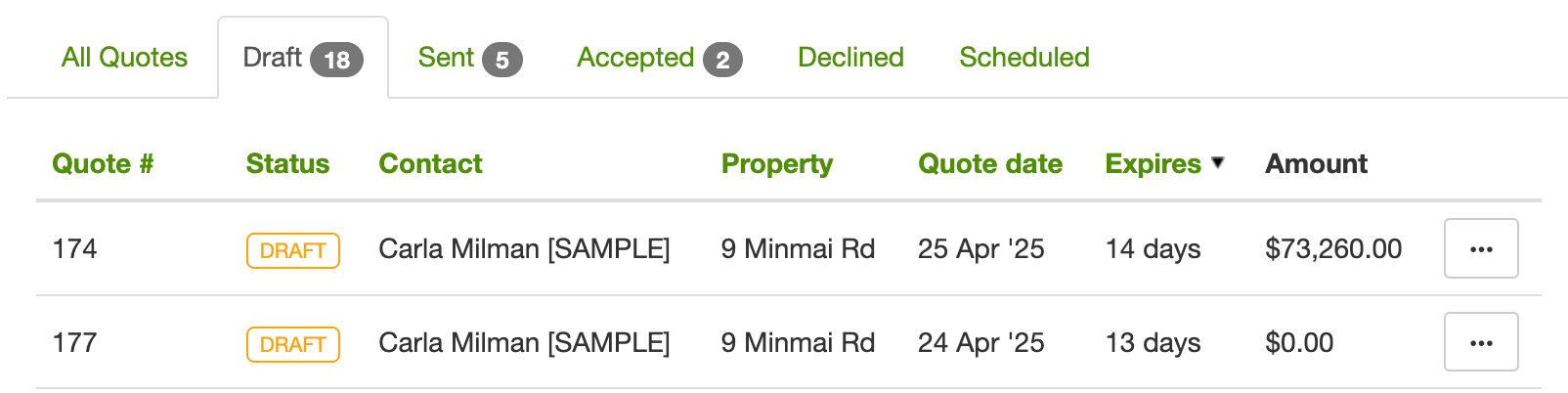
Section titled “View quotes by status”A long mixed list makes it hard to see what still needs sending, following up, or scheduling.
The Quotes page has tabs so you can work by status: draft, sent, accepted, and the rest.
More precise estimated times
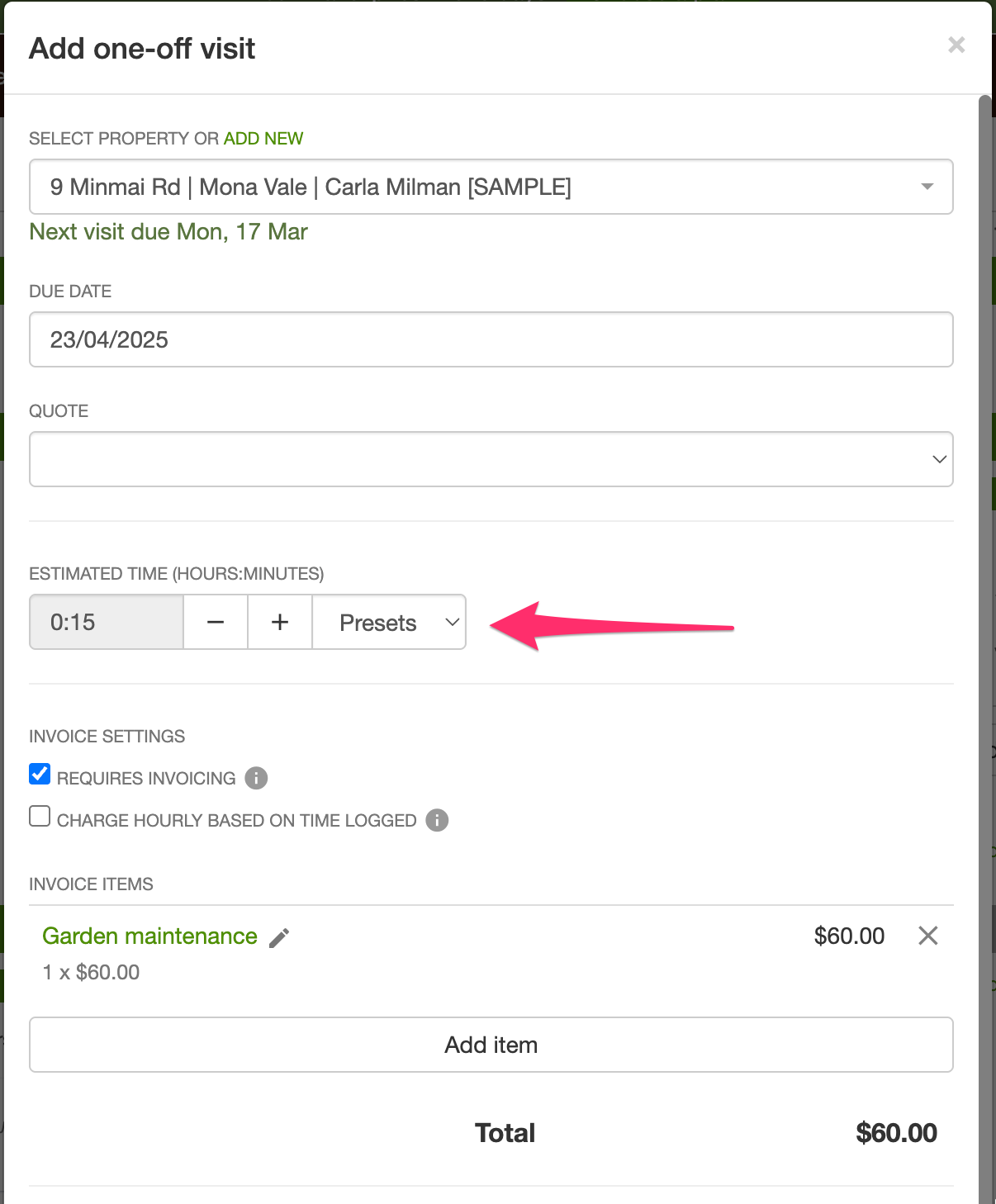
Section titled “More precise estimated times”Entering a 10-minute mow as 0.16 hours was awkward, and easy to get wrong.
Estimated time uses hours and minutes. Use Presets for a starting duration, then fine-tune with - and +.
Issues in the mobile app
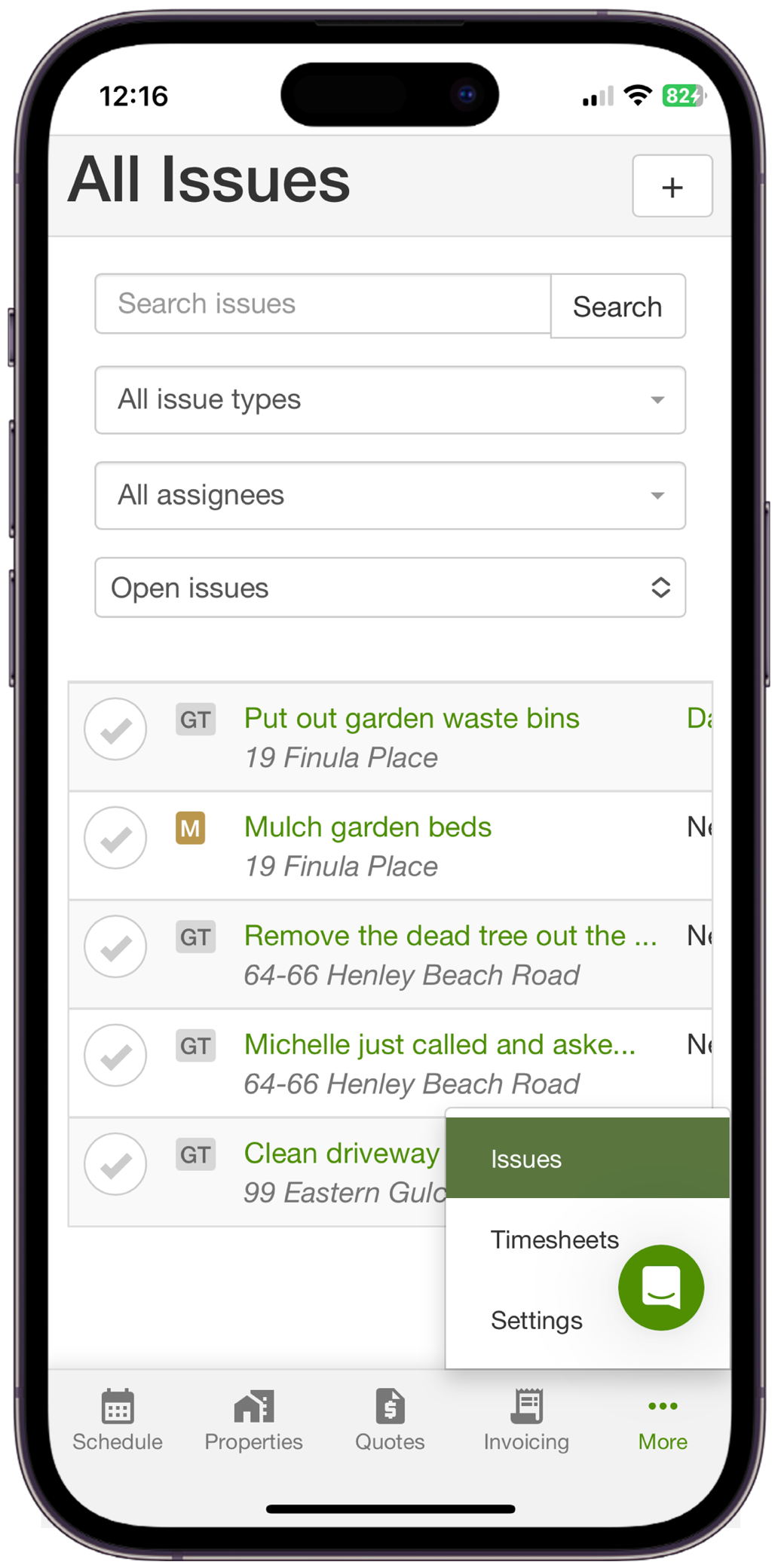
Section titled “Issues in the mobile app”Issues are how the team flags follow-up, repairs, or something the client needs to hear. That used to wait until you were back at a computer.
You can view and manage the issues list in the mobile app.
See Tracking customer requests with issues.
Need different repeat frequencies in winter and summer? Set a seasonal schedule on the visit.
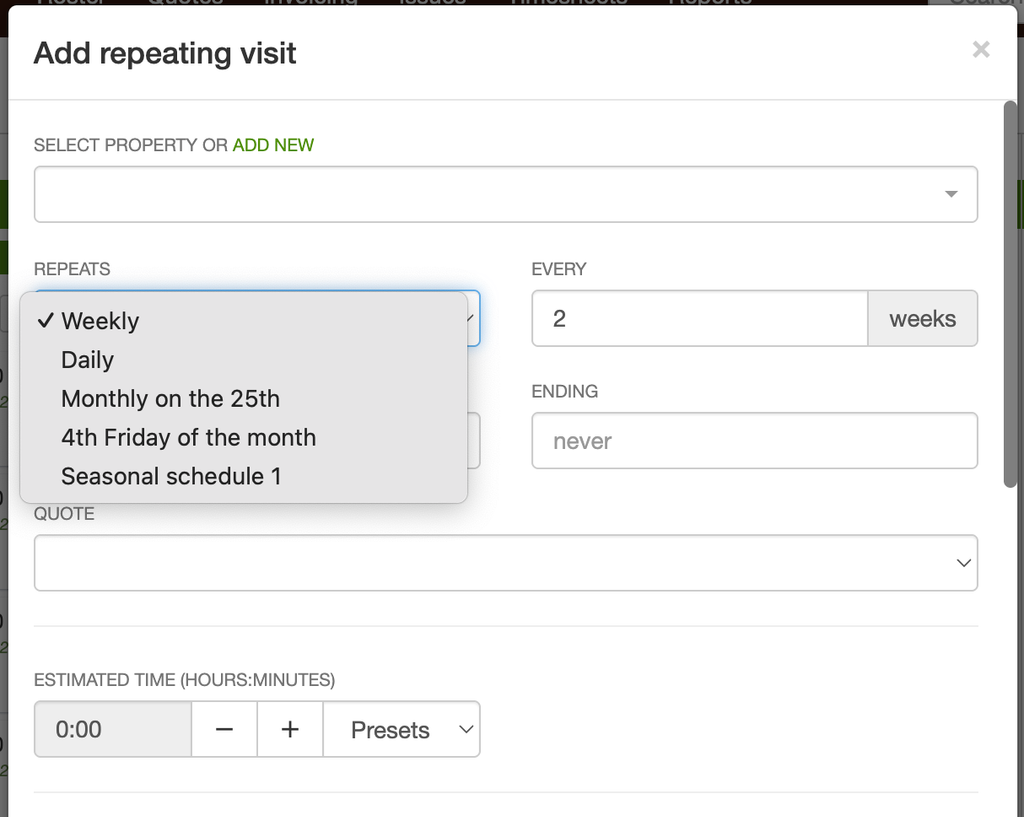
See Seasonal schedules.