

February 2026: Schedule notes and more
Last updated:
This update was emailed to customers on 13 February 2026. Each item below links to the full how-to article where one exists.
Schedule notes
Section titled “Schedule notes”Customers already use SortScape for visits. The day also includes everything around those visits: tool checklists, opening and closing steps, equipment reminders, staffing notes, lunch, and personal appointments.
Notes sit on the schedule alongside visits. They can be one-off or repeating. Start a line with - to make a checklist. Use tags and colours to make them stand out, and add photos the same way you do on visits.
Add one from the schedule with Add, then Note.
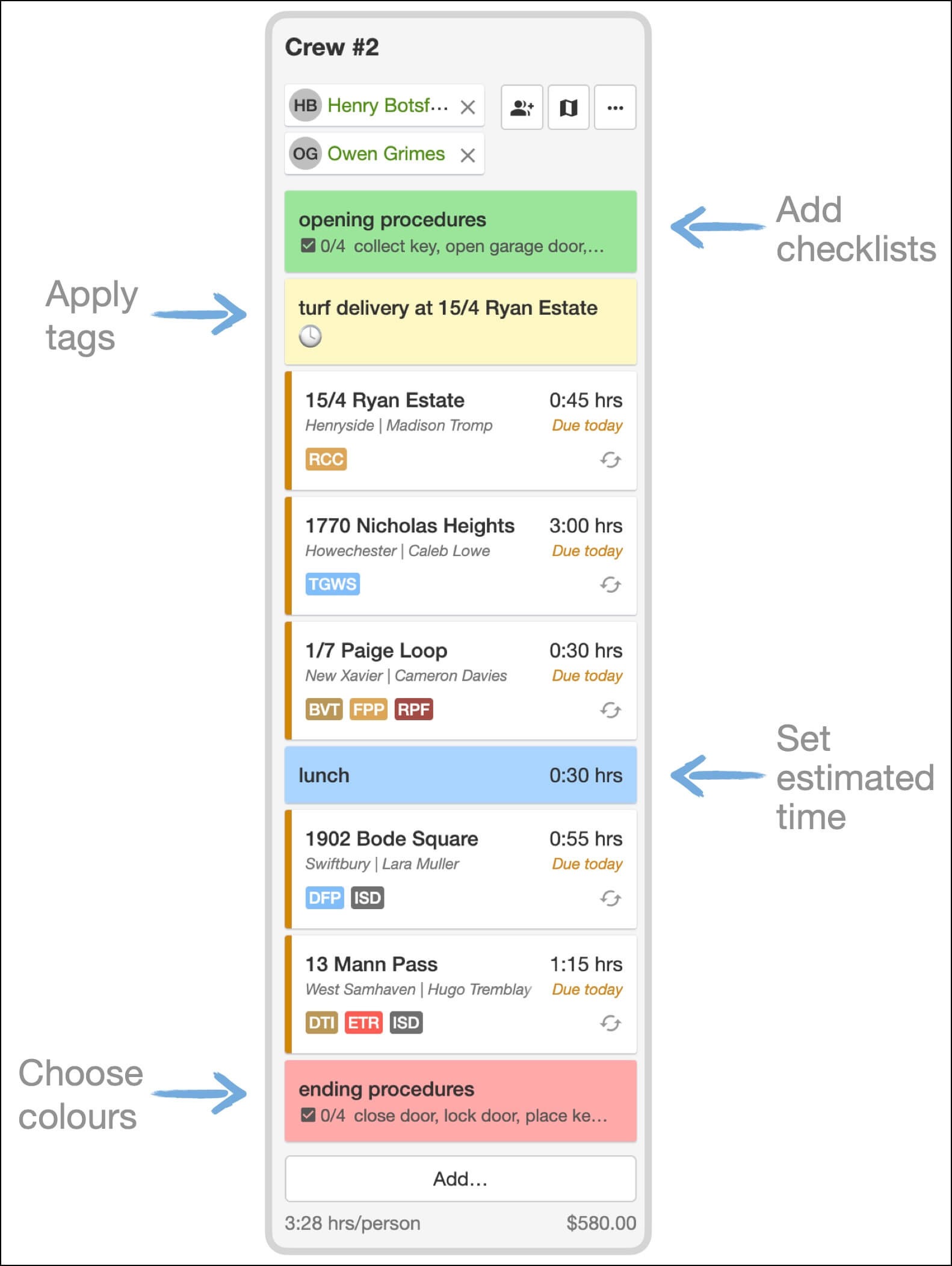
See Notes.
Refer a friend
Section titled “Refer a friend”If you already recommend SortScape to other lawn and garden businesses, you can now get credit for it.
Share your referral link. They get their first month free, and you receive a $100 account credit (£50 in the UK) once they become a paying customer.
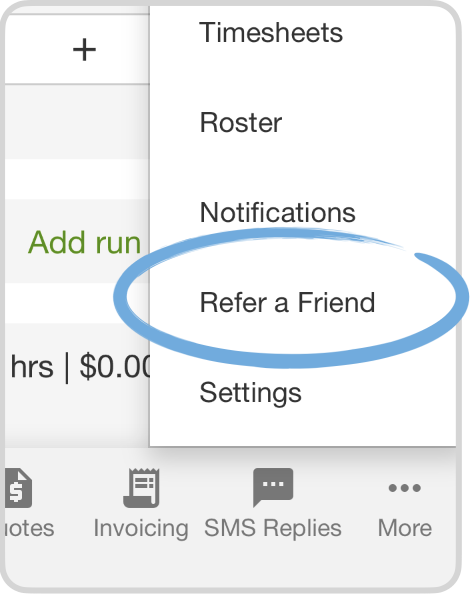
See Refer a friend and earn credits.
Quick-add frequently used line items
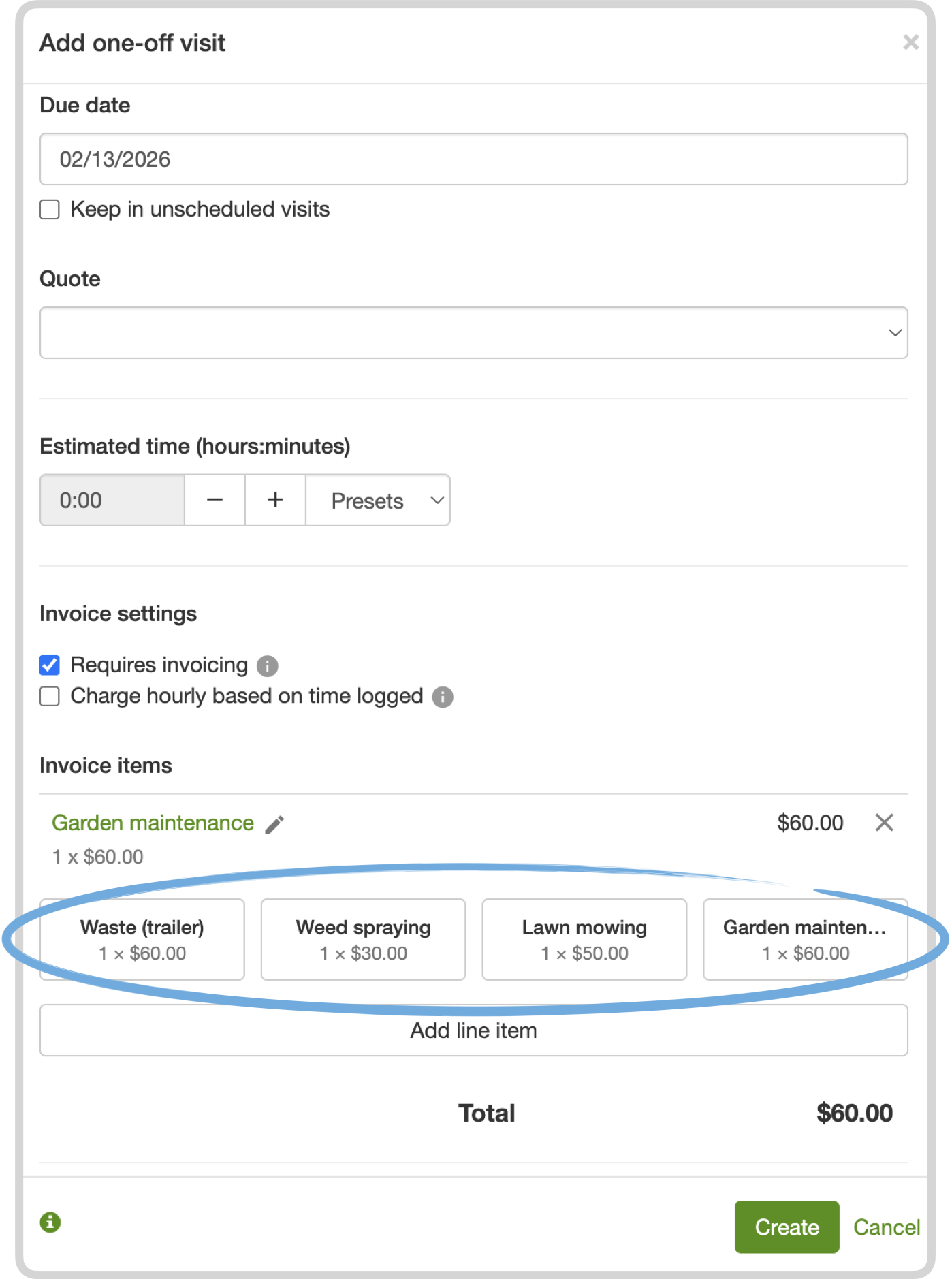
Section titled “Quick-add frequently used line items”When you create quotes, visits, or invoices, you often add the same items again and again, like lawn mowing or garden maintenance.
SortScape now remembers recently used items and shows them as quick-add buttons, so you can add them with one click.
Requests and lead tracking
Section titled “Requests and lead tracking”Requests keep customer enquiries in one place. This update added a few improvements based on how people were using the form.
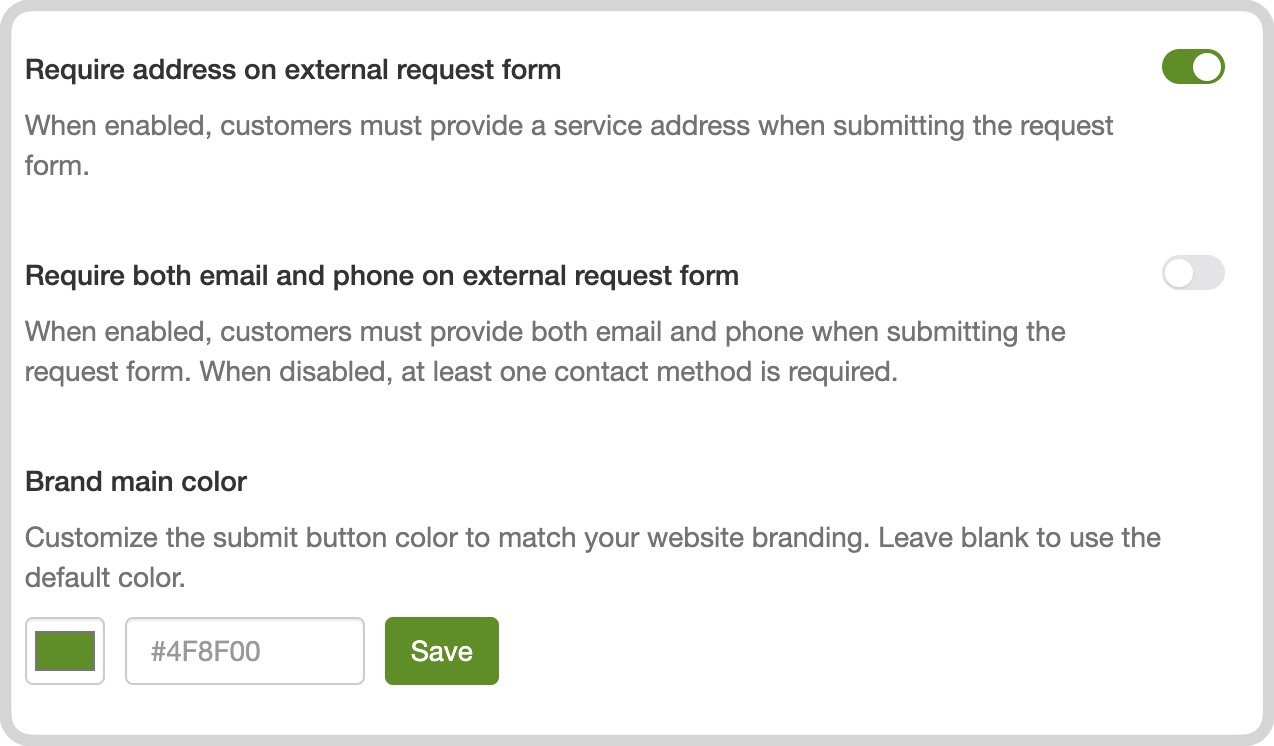
- Match your brand on embedded request forms by customising the submit button colour. See Customising the button colour.
- Collect the contact details you need to follow up, including email and phone. See The request form.
- Open a property and manage its requests there, without jumping back to the main Requests list. See Managing requests.
- On Premium, Zapier can create a request from website forms, CRMs, and other tools. See Using Zapier to connect to other apps.
Finish close to your end address
Section titled “Finish close to your end address”Some days you want the last visit near the depot, home, or tomorrow’s work, not a long drive back at the end of the day.
You can set a start and end address when routing visits, then turn on Finish close to end address. SortScape puts the furthest visit first so the day finishes closer to where you need to be.
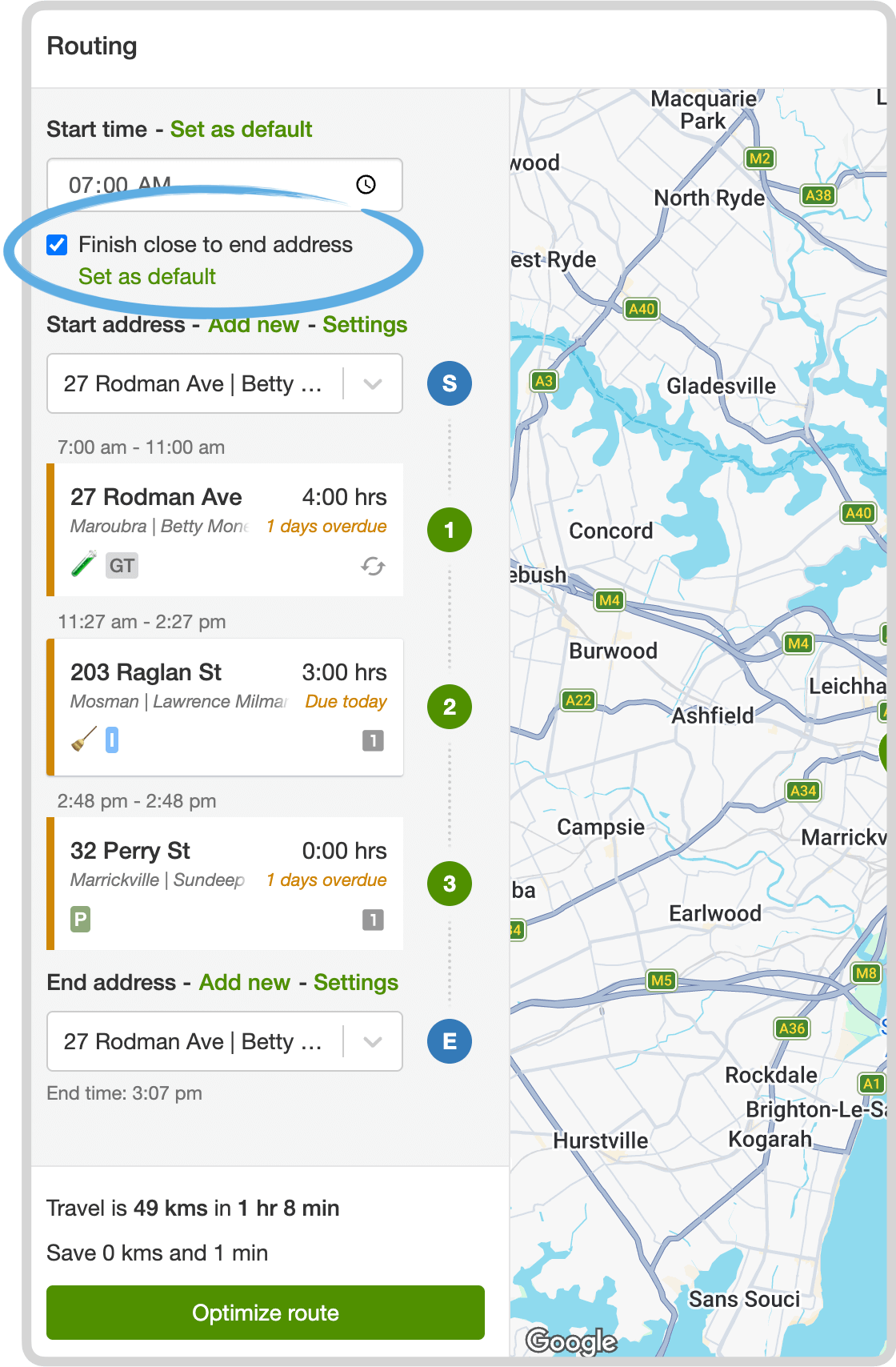
See Finish close to end address.
See all your repeating customers
Section titled “See all your repeating customers”One way to judge the health of the business is how many regular customers you have.
On the Properties list, use the With repeating visits filter. It shows only properties with an upcoming repeating visit, and you can export that list.
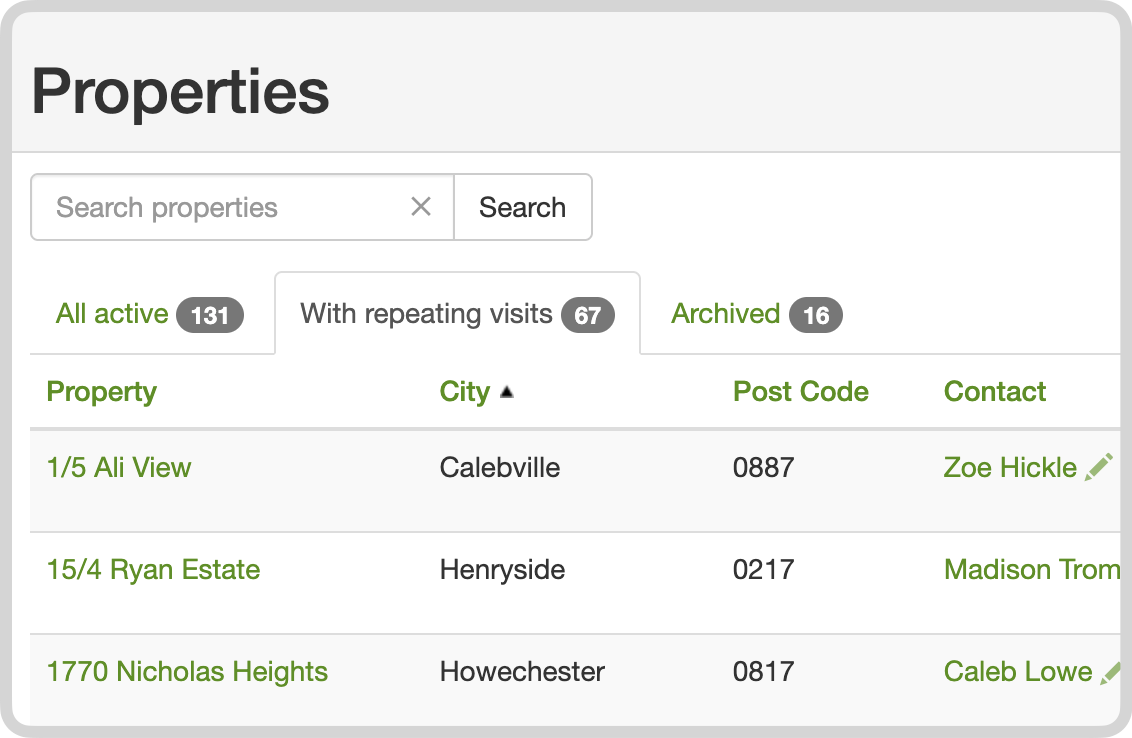
See How do I see a list of my regular customers?.
Other improvements
Section titled “Other improvements”- Admin pages work on a phone or tablet, so you can update settings and manage users while you are out in the field.
- Issue changes are recorded in the activity log (Premium), so assignment and update emails show what changed. See The activity log.
- You can download quotes and invoices as Word files (
.docx) when you need to tweak wording or formatting before sending. - Merge duplicate properties into one record, keeping visits, issues, and history together. See Merging properties.