December 2025: Requests, photo timestamps, and more
Last updated:
This update was emailed to customers on 19 December 2025. Each item below links to the full how-to article where one exists.
Requests and lead tracking
Section titled “Requests and lead tracking”Leads used to land in inboxes, texts, and website forms, then get typed into SortScape later. That is easy to lose when you are on the tools.
Share a request form link by text, email, socials, or your website. Customers submit the work they need, and the enquiry lands in SortScape with their details already filled in. You can convert a request into a quote or a scheduled visit from there.
See Managing leads and requests.
Automatic timestamps on photos
Section titled “Automatic timestamps on photos”Clients often want proof of when and where a job photo was taken, without you editing every image in a separate app.
On Premium, turn on Include timestamps on images. Photos uploaded to a visit then show the date and property address when you send them to a client. The original file stays unstamped.
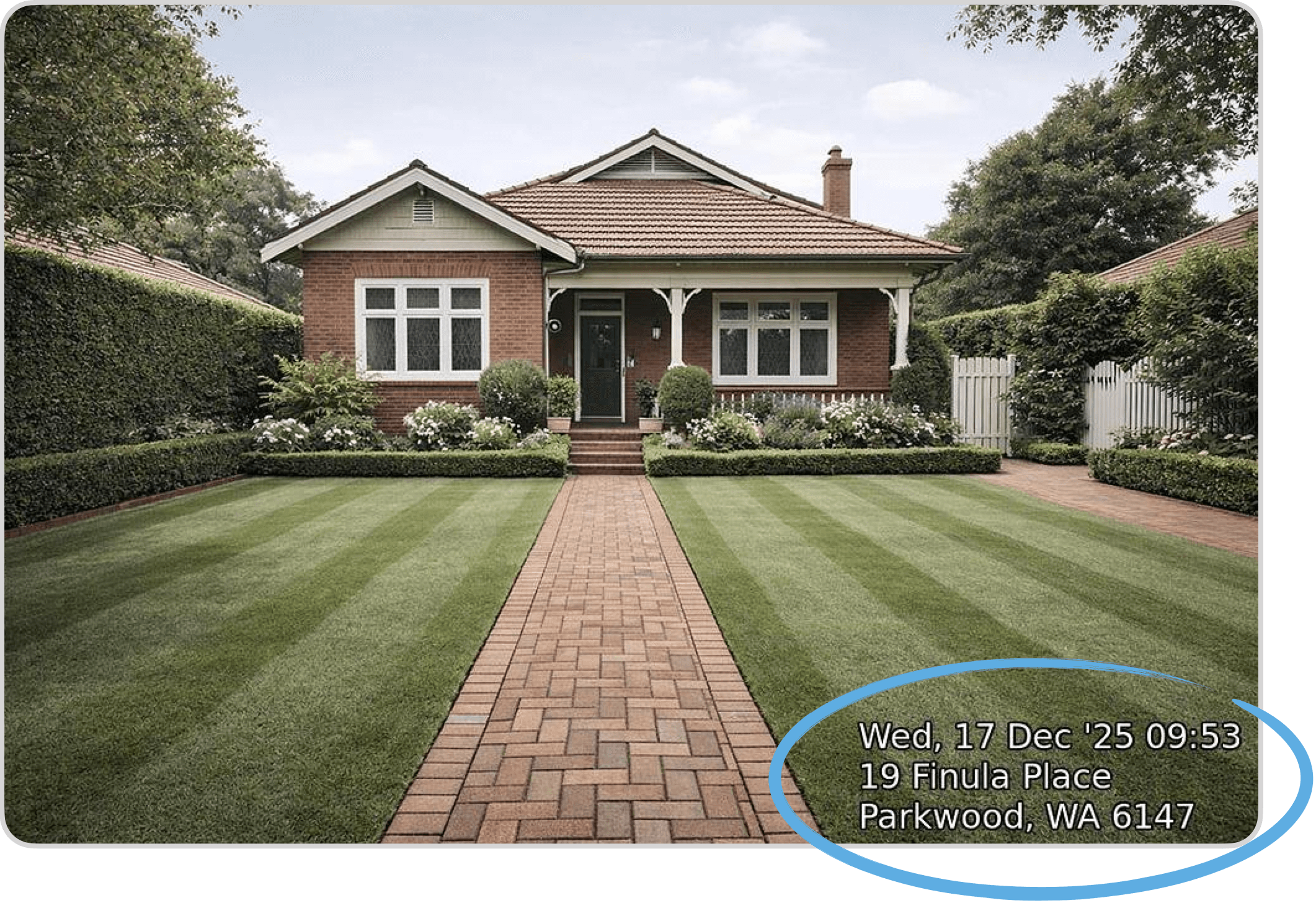
See Automatic timestamps on photos.
SMS search and chat view
Section titled “SMS search and chat view”Finding an old customer text used to mean scrolling. Sending another message from a visit was easier if you could see the thread first.
You can search customer SMS replies, and when you send a manual text from a visit you can read replies in a chat-style thread before you send more.
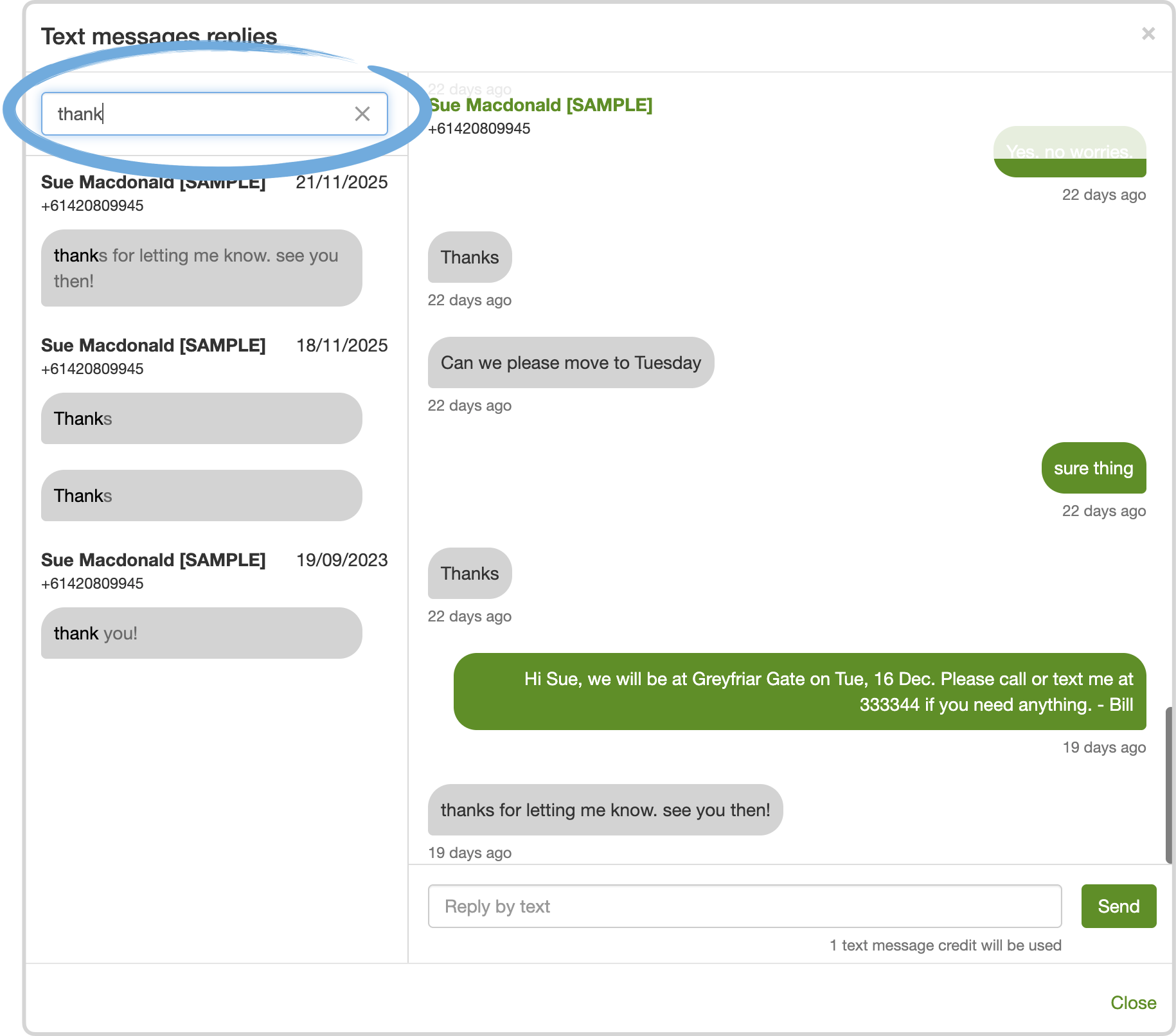
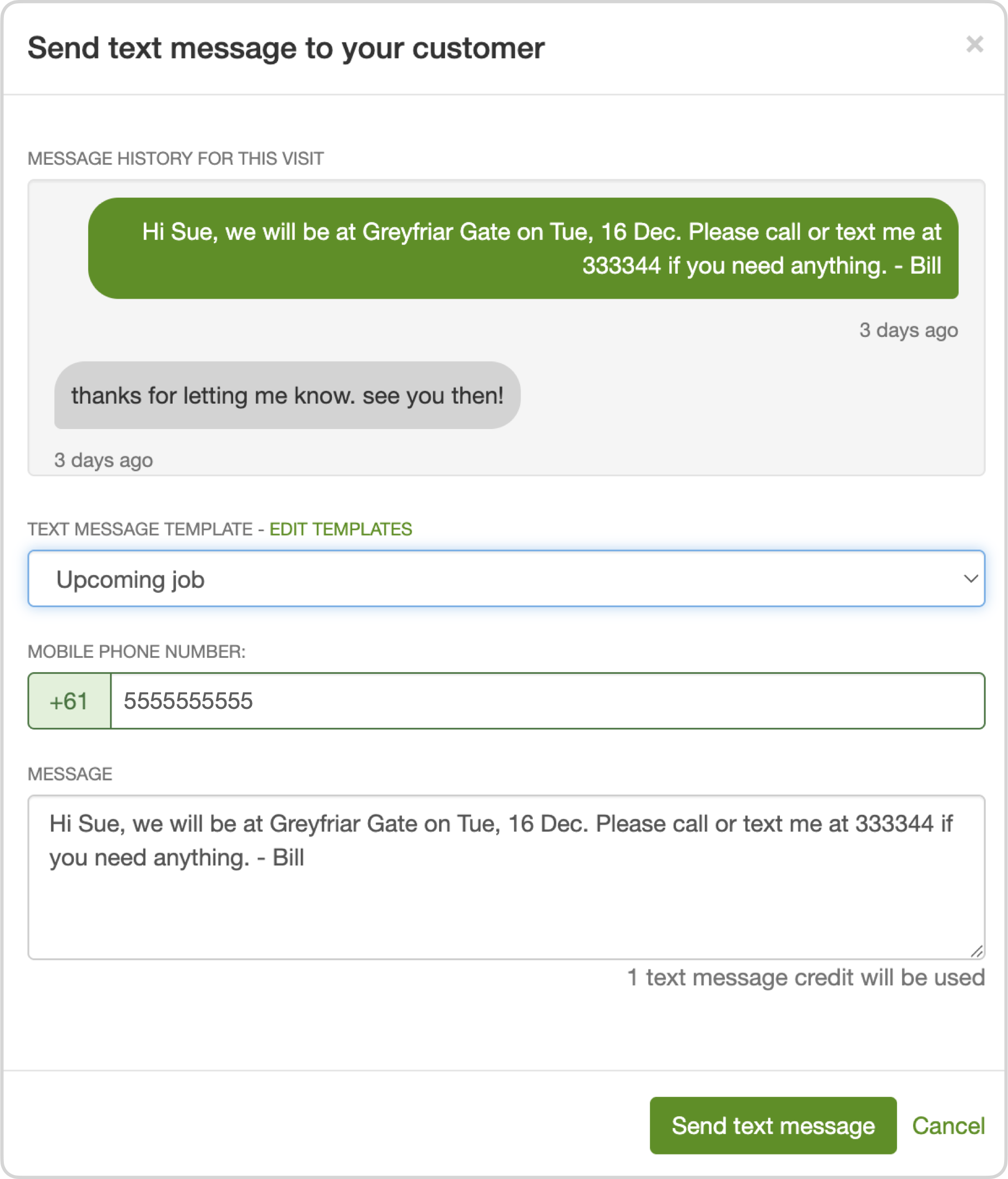
See Text message replies.
Attachments on quotes
Section titled “Attachments on quotes”Some quotes need more than line items: a marked-up photo, a problem area, or a supporting document.
You can add photos and other files to a quote before you send it. They go out in the email and show on the online quote page.
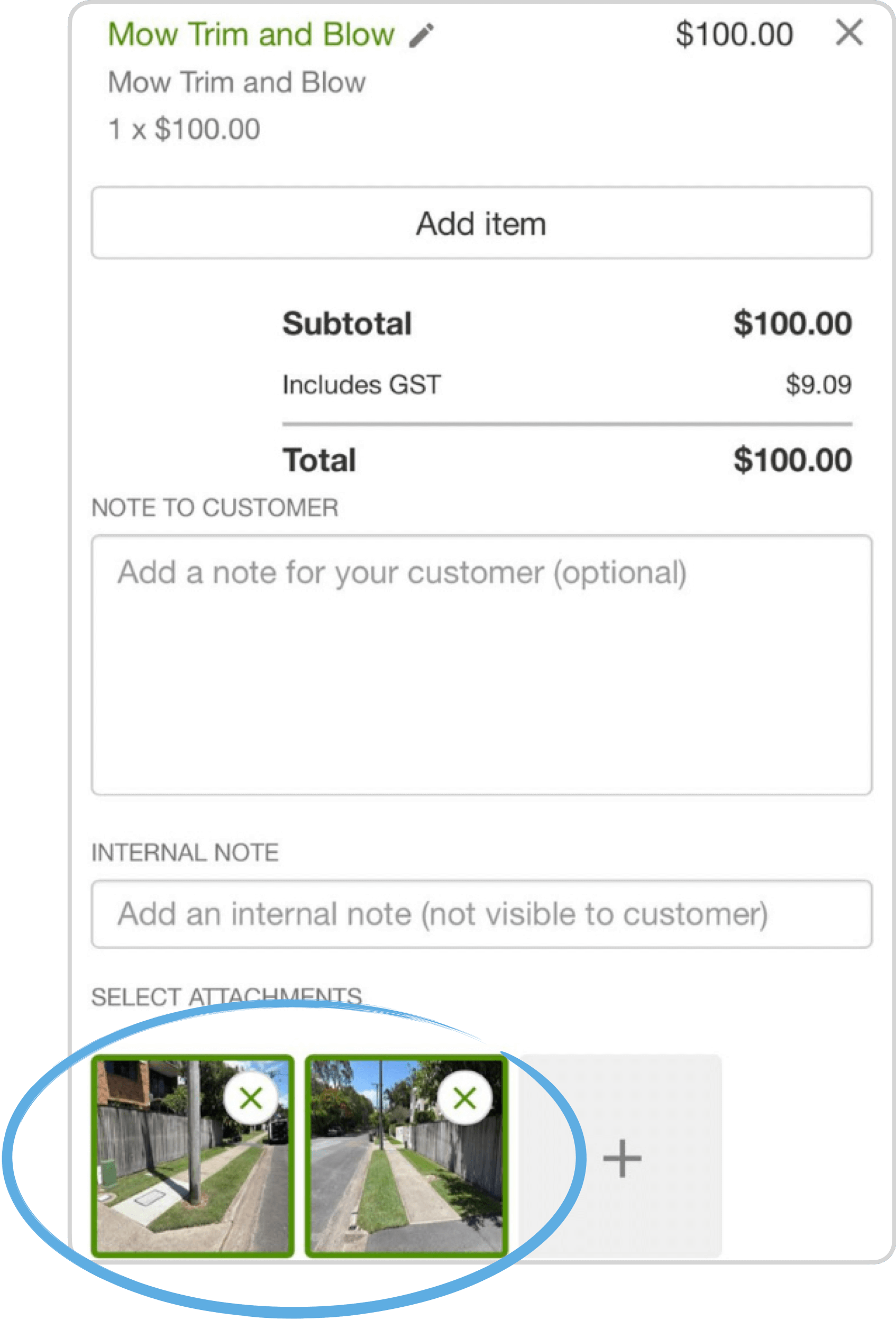
See Sending quotes to customers.
Customisable service reports
Section titled “Customisable service reports”Service reports are how many of you show what was done on site, especially when the client is not home.
On Premium, you can choose what goes into each report: time worked, employees on site, the next scheduled visit, completed issues, and attached photos.
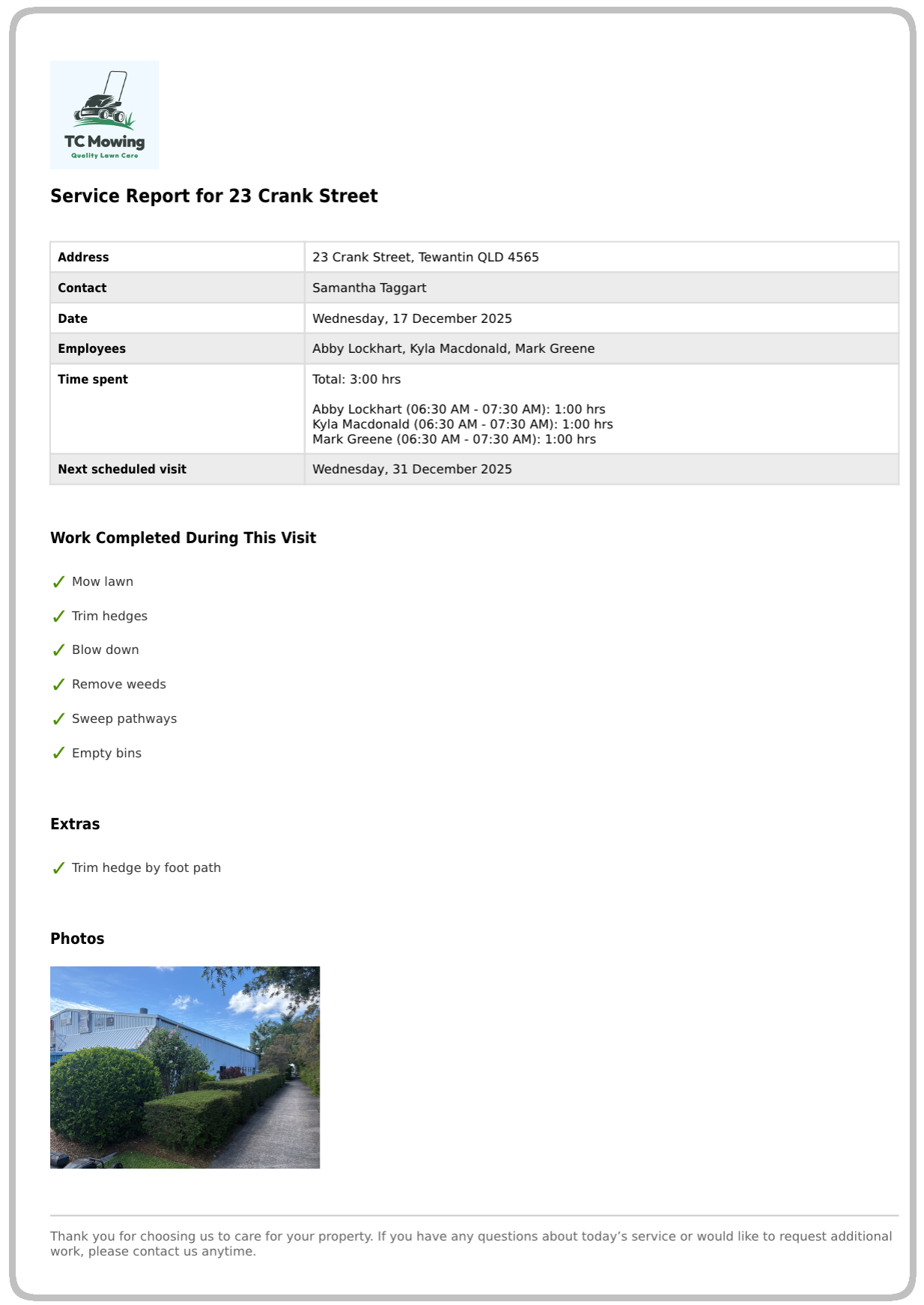
See Sending a job report to clients.
Other improvements
Section titled “Other improvements”- Bulk archive contacts when you need to tidy the list. Archiving a contact also archives their properties. See Bulk archiving multiple contacts.
- When you copy a visit, you can pick a different property, not only the original one. See Can I copy a visit?.
- Crew time scaling controls how estimated visit time changes when more people are on the run: classic (divide by crew size), about 30% less per extra person, or fixed time. See Crew time scaling.
- Tags and issues have a wider set of colours. See Add colors and emojis.
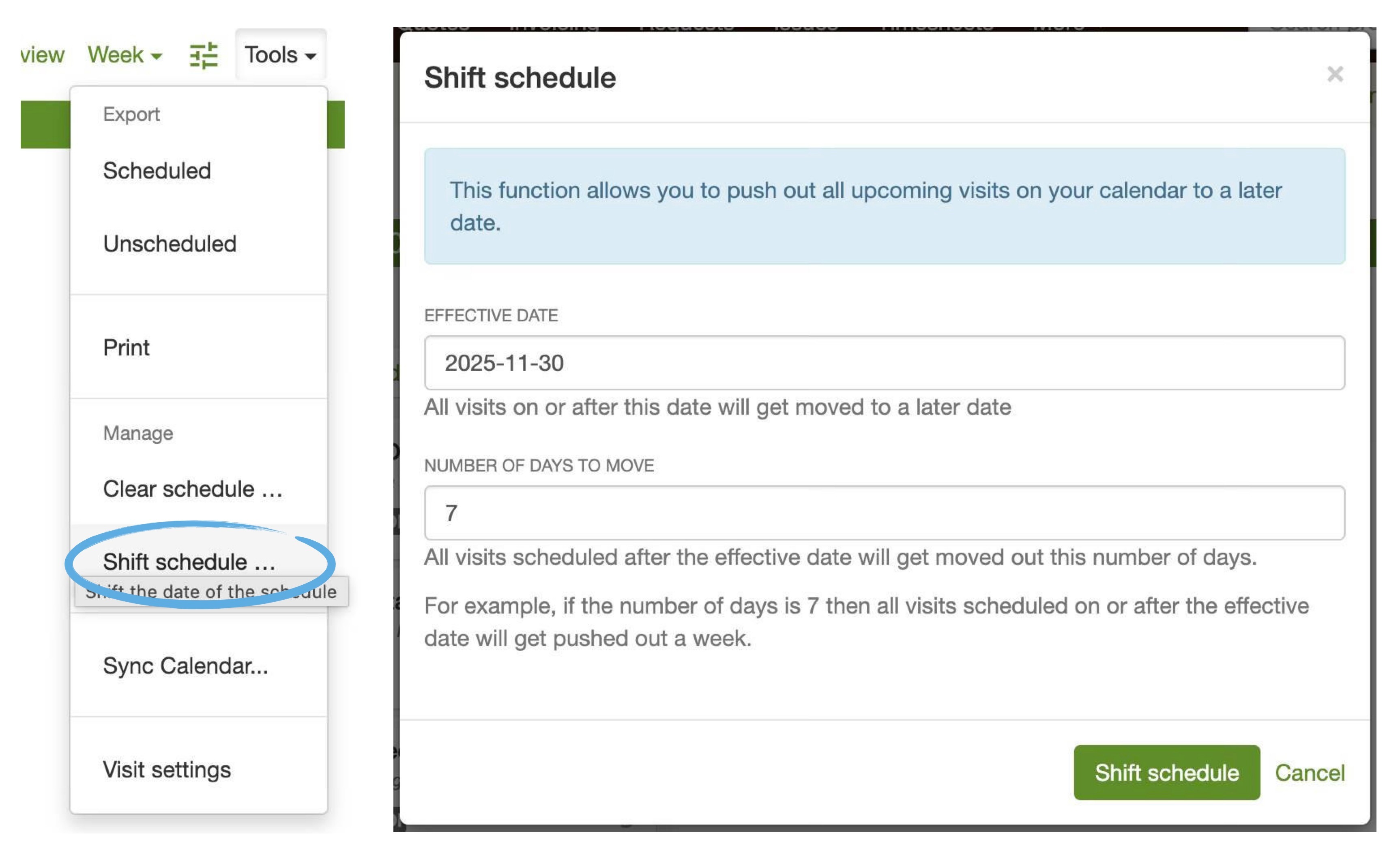
If you need to push the whole schedule forward (for example a week off), use Tools → Shift schedule in a web browser.