

May 2026: AI Receptionist, push notifications, and more
Last updated:
This update was emailed to customers on 22 May 2026. Each item below links to the full how-to article.
AI Receptionist
Section titled “AI Receptionist”If you run a lawn and garden business, you already know how disruptive it is to answer the phone while you’re on the tools. You have to stop what you’re doing, take down a customer’s details, and then type everything into SortScape before you can schedule a quote.
Sam, SortScape’s AI Receptionist, can answer calls on your behalf, answer common customer questions, and take down customer details without you picking up. Requests are logged in SortScape so you can follow up in an organised way.
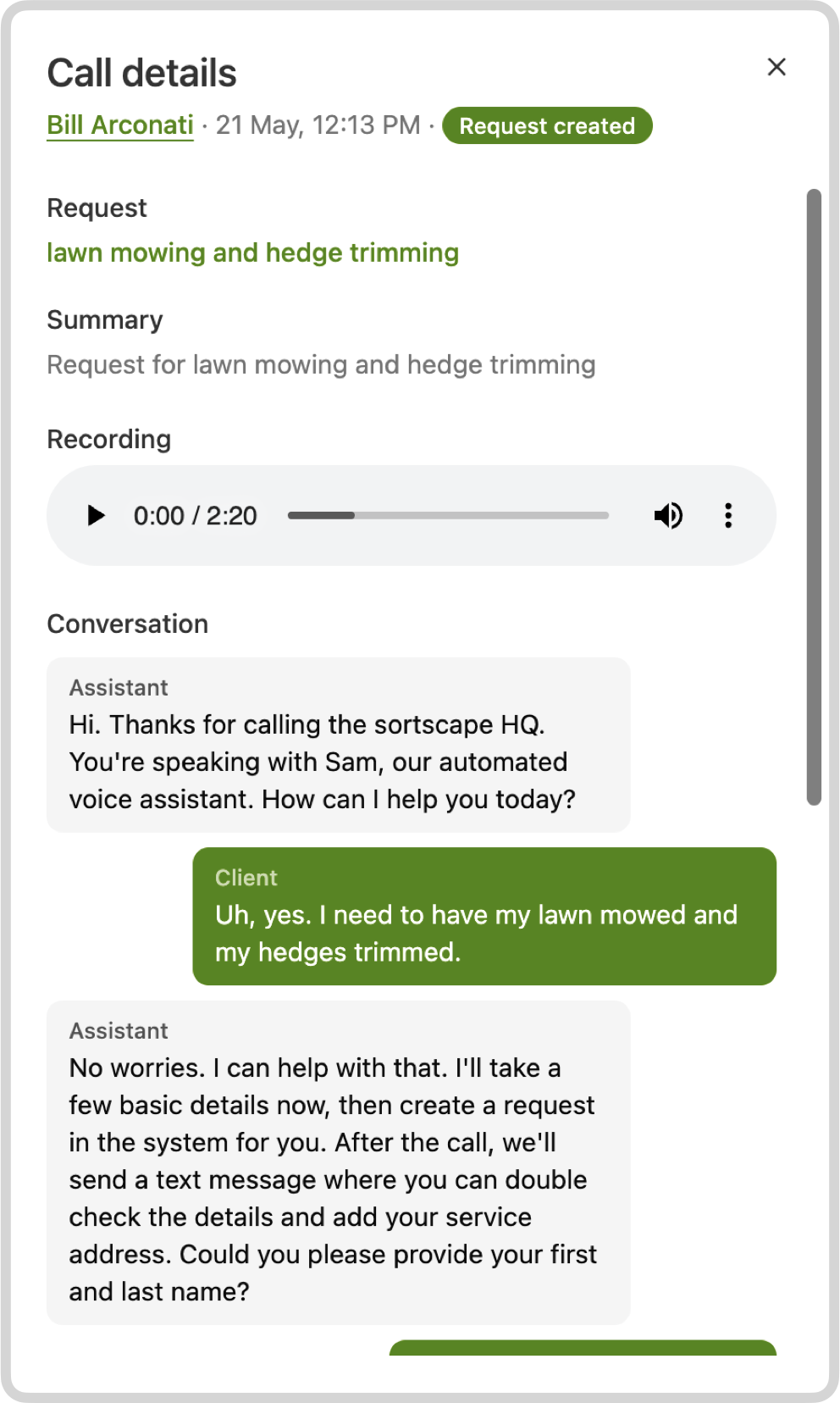
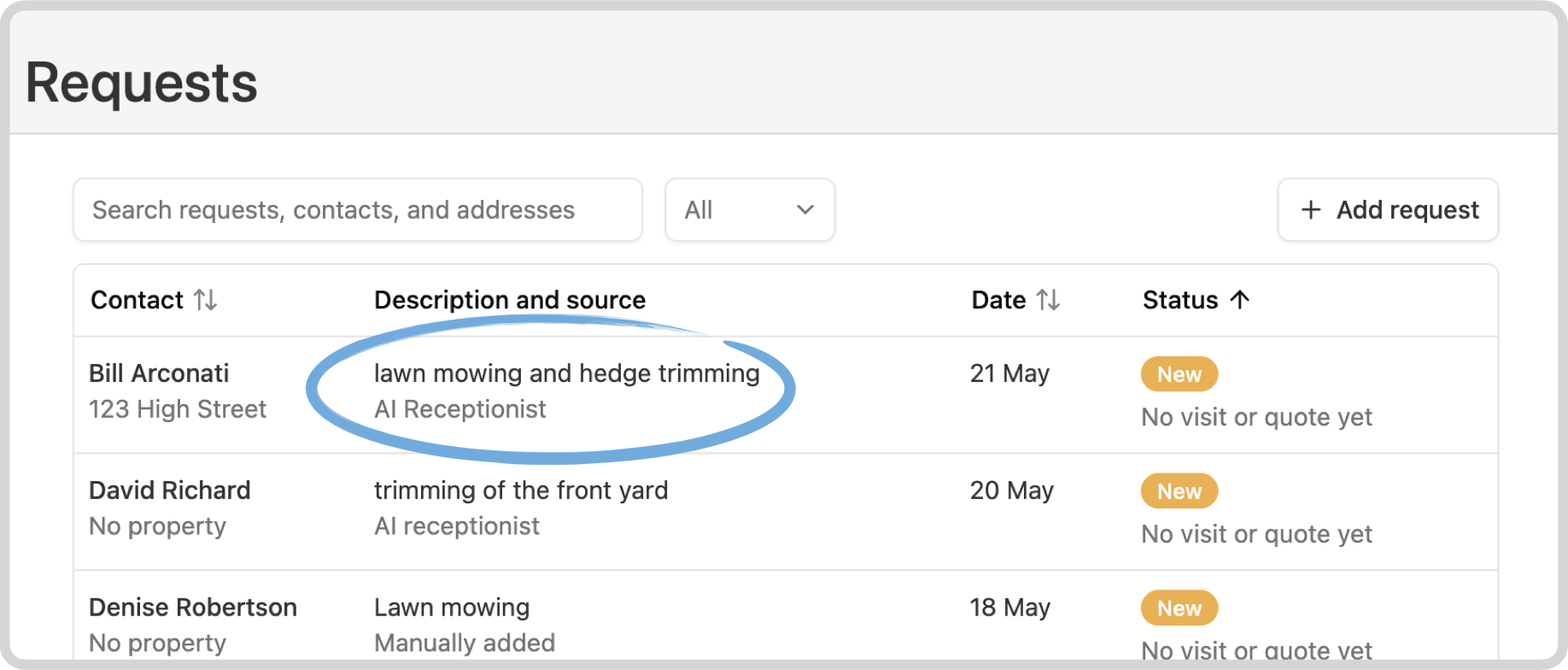
You choose when calls are answered, how customers are greeted, and what common questions the AI can answer. Setting it up is:
- We give you a dedicated phone number
- You forward calls from your existing number, or publish the new number
- You choose when calls get forwarded, for example after hours or when you’re unreachable
Want to hear how it sounds? Call the live demo on +61 468 077 621, or see AI Receptionist for setup, pricing, and call forwarding.
Bulk SMS and email notifications for job runs
Section titled “Bulk SMS and email notifications for job runs”Weather delays, equipment breakdowns, sick staff, schedule changes. Sometimes a whole day needs to be reshuffled quickly.
You can now send a bulk SMS or email to all visits in a run from the schedule, instead of opening every visit one by one. That is the difference between a rain delay that takes five minutes and one that takes an hour.
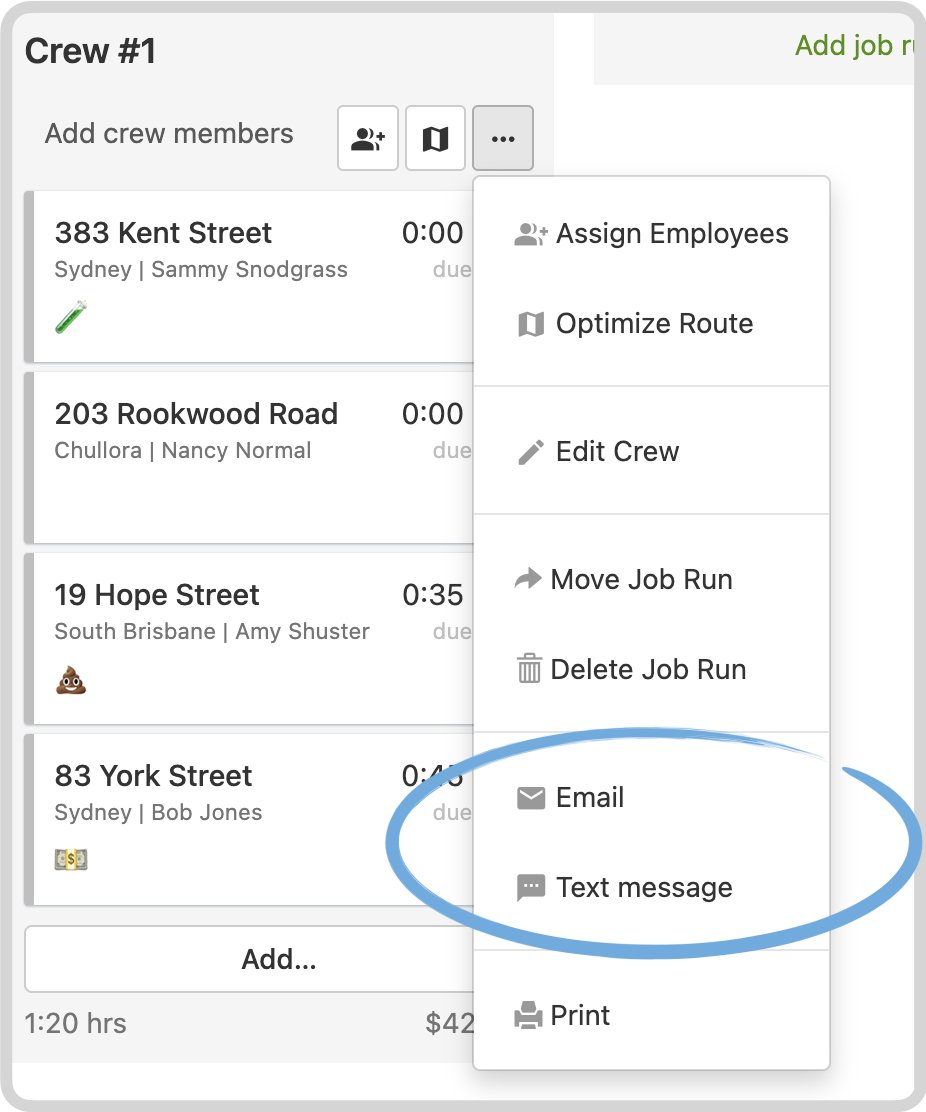
See One-off bulk notifications for a job run.
Smarter appointment reminders
Section titled “Smarter appointment reminders”Not every customer needs the same reminder. Some need to unlock a gate. Others need to clean up after the dog. Chemical spray visits may need different instructions than a regular mow.
Automatic reminders can now be limited with visit tags, so you send the right message for the type of visit. For example, send a dog-related reminder only for visits tagged Dog.
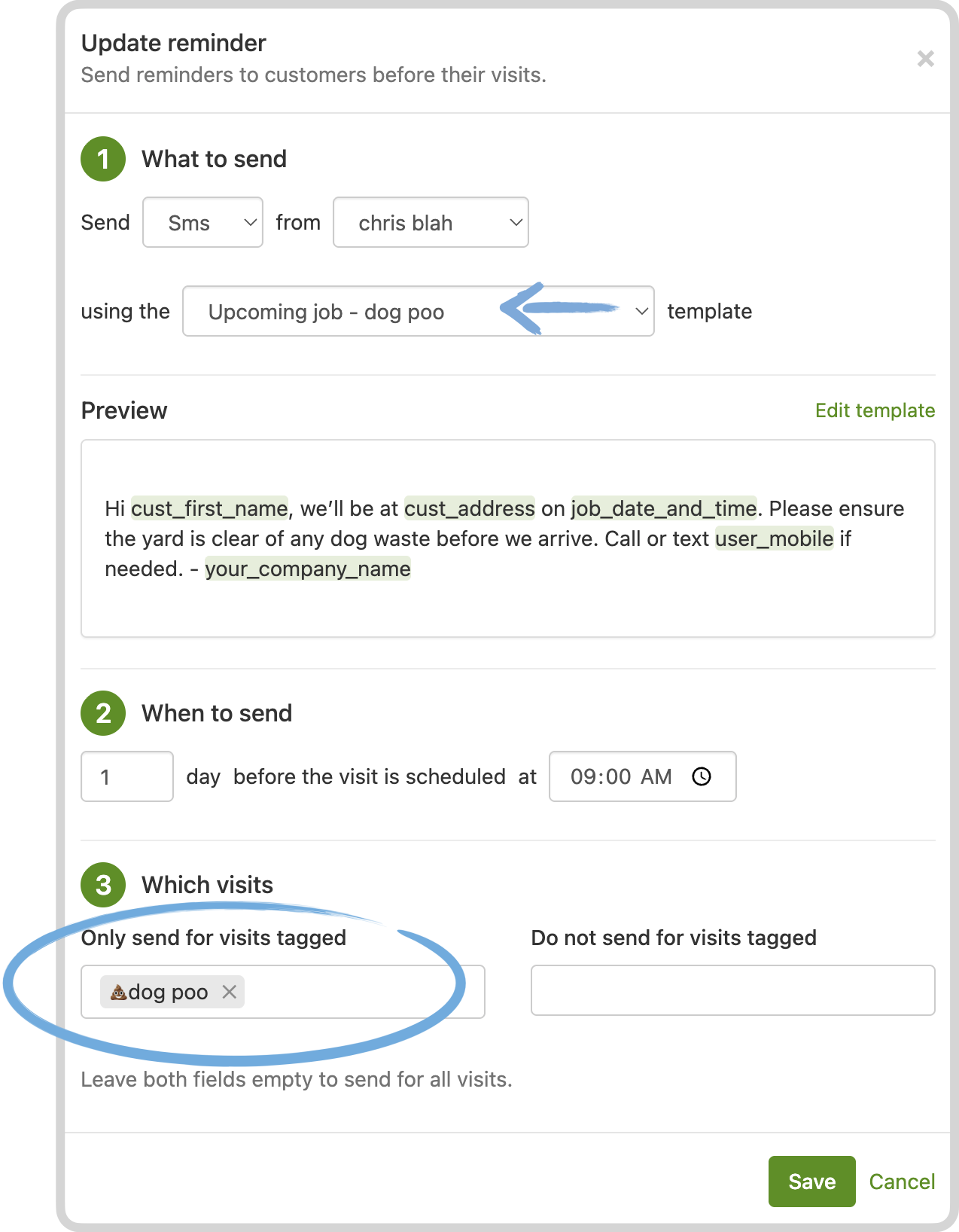
See Filtering reminders by visit tags and Mastering visit tags.
Mobile push notifications
Section titled “Mobile push notifications”Email is not always fast enough when you are out on the tools. The iPhone and Android apps can now send push notifications for new customer requests, customer SMS replies, and quote acceptances or declines. Tapping the notification opens the relevant screen.
Push can be configured separately from email.
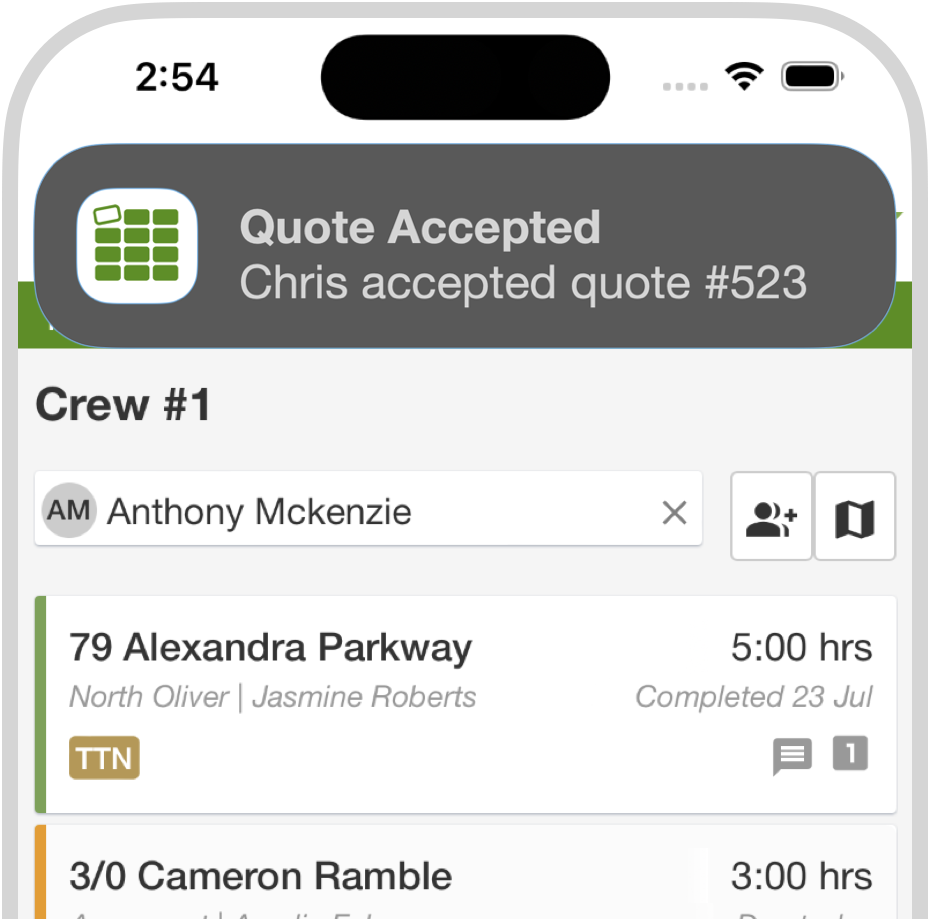
See Email and push notifications.
Get paid faster with online invoice payments
Section titled “Get paid faster with online invoice payments”If you use SortScape’s built-in invoicing, you can add a Pay Now button on invoices through Stripe. Customers can pay on their phone or computer without a bank transfer.
If you already invoice through Xero or QuickBooks Online, those systems already handle online payments.
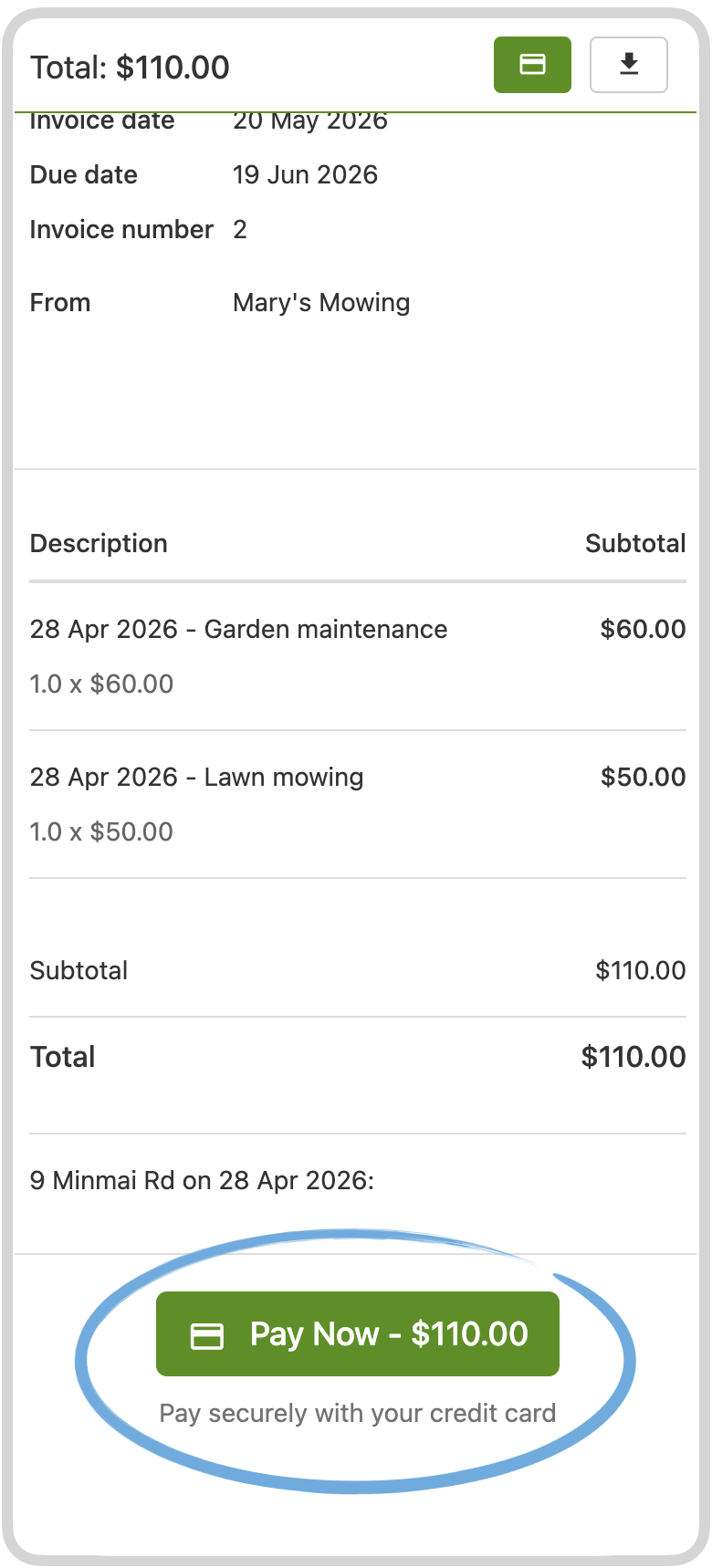
See Taking online payments for invoices.
Invoice status sync with Xero and QuickBooks Online
Section titled “Invoice status sync with Xero and QuickBooks Online”SortScape now refreshes invoice payment status from Xero and QuickBooks Online, so you can see whether an invoice has been paid without switching systems. Handy when you are looking at a customer’s history or following up completed work.
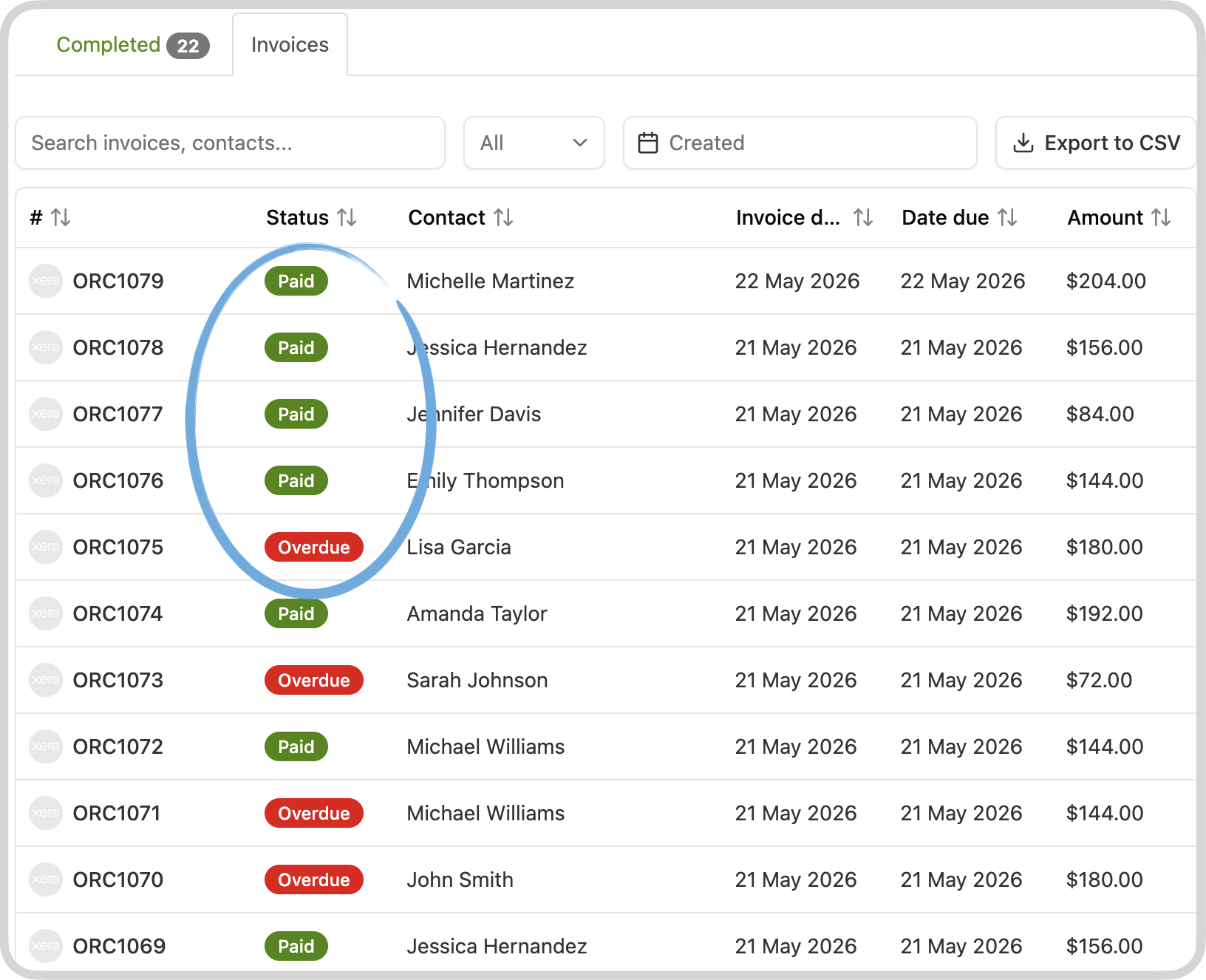
See Invoice status when using Xero or QuickBooks Online.
Customers can decline quotes (with a reason)
Section titled “Customers can decline quotes (with a reason)”Quotes now include Decline next to Accept. The customer can optionally leave a reason, and you get an email or push notification so you are not chasing a quote that is already dead.
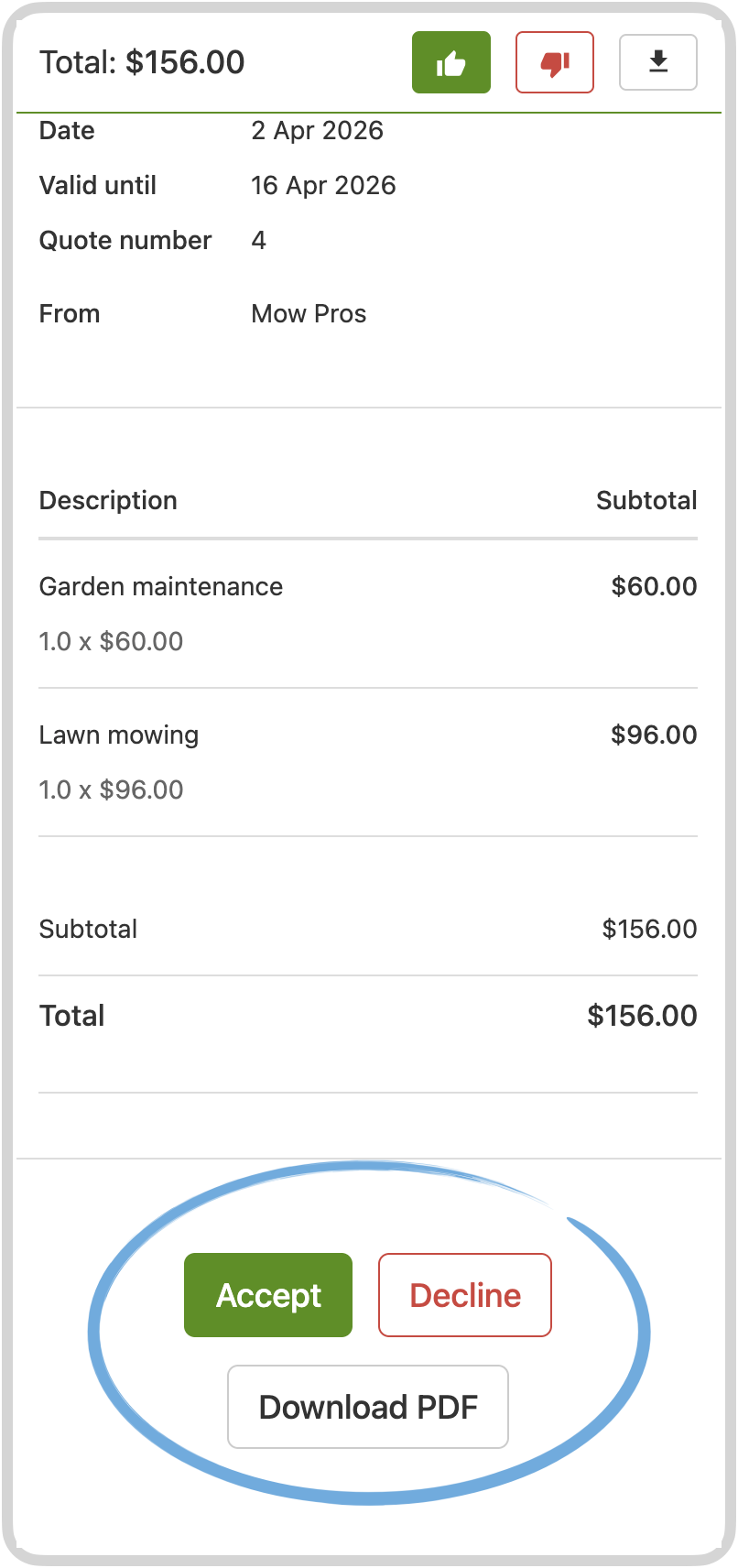
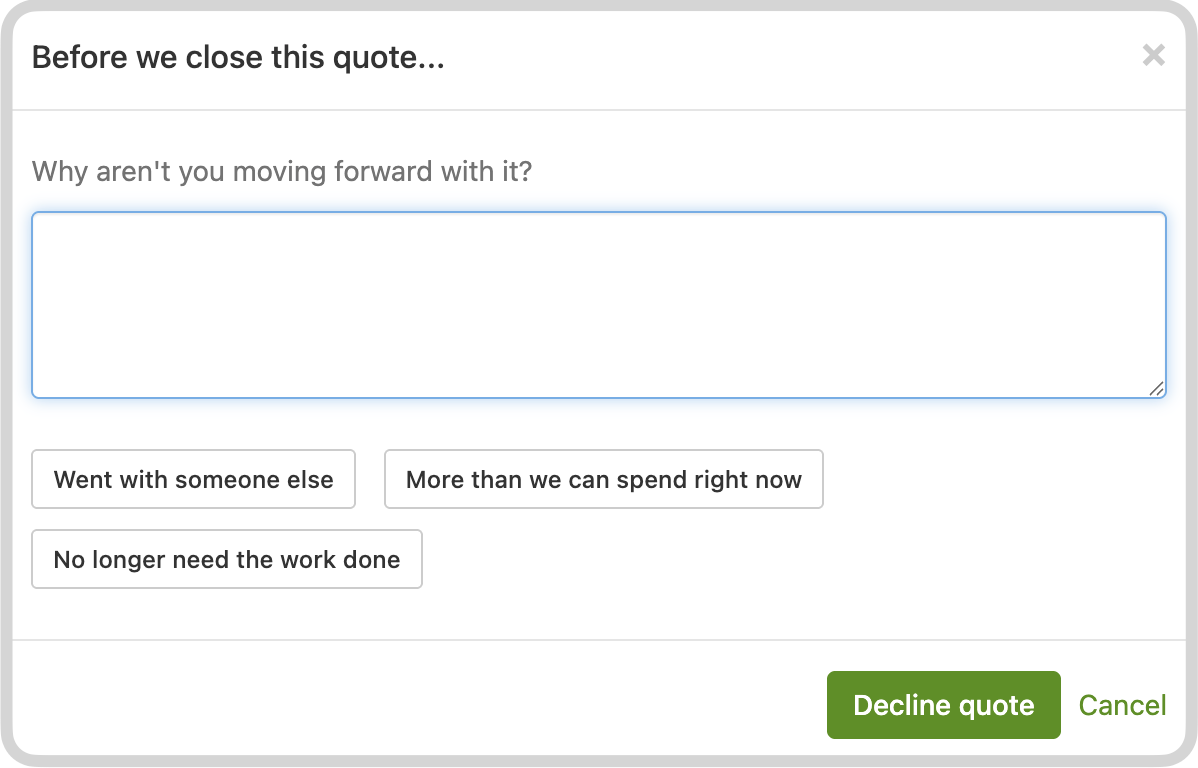
See Sending quotes to customers.
Jim’s Mowing lead emails
Section titled “Jim’s Mowing lead emails”If you receive leads from Jim’s Mowing (or similar forwarded lead emails), SortScape can read the email, extract the customer details, address, requested service, and notes, then create a request for your team to follow up. That includes Jim’s Mowing Leads and Jim’s Bizza leads.
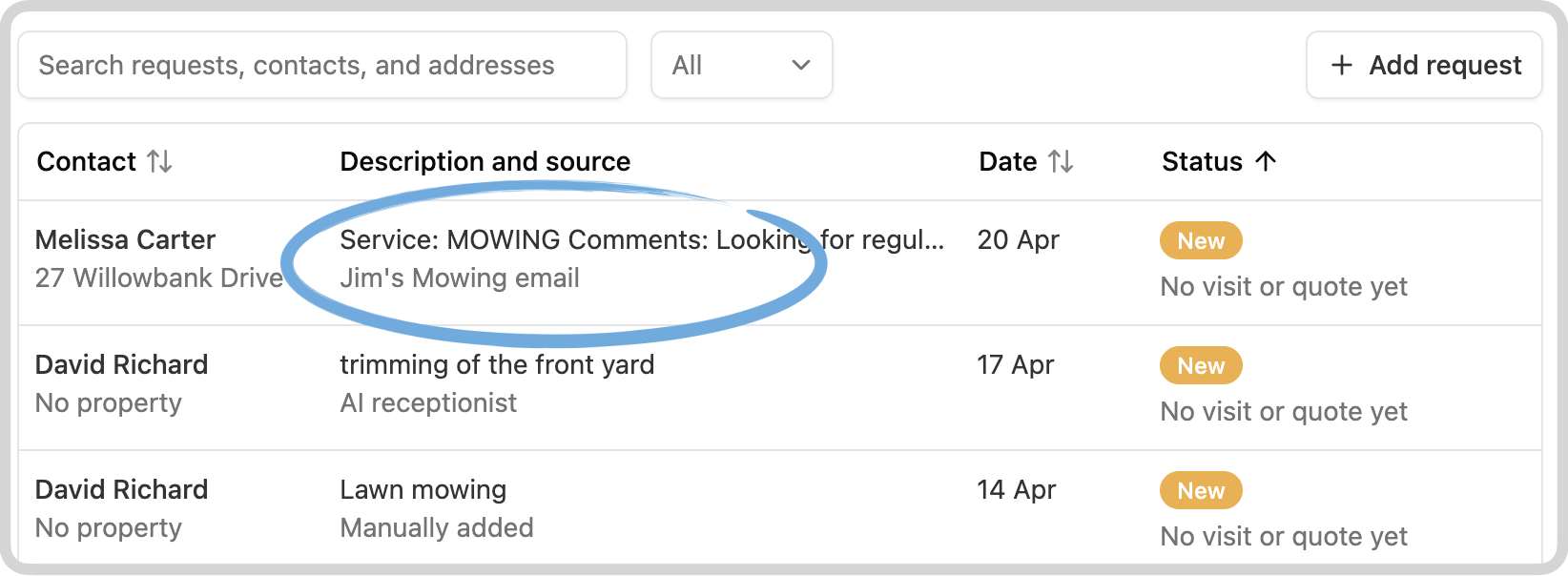
See Email leads.
Earn credits by referring a friend
Section titled “Earn credits by referring a friend”Share your referral link with mates at other businesses. They get their first month free, and you receive a $100 account credit (£50 in the UK) once they become a paying customer.