

How to get turn by turn directions to your next job
Last updated:
To get turn-by-turn directions to the next job:
- Go to the schedule
- Click on the job
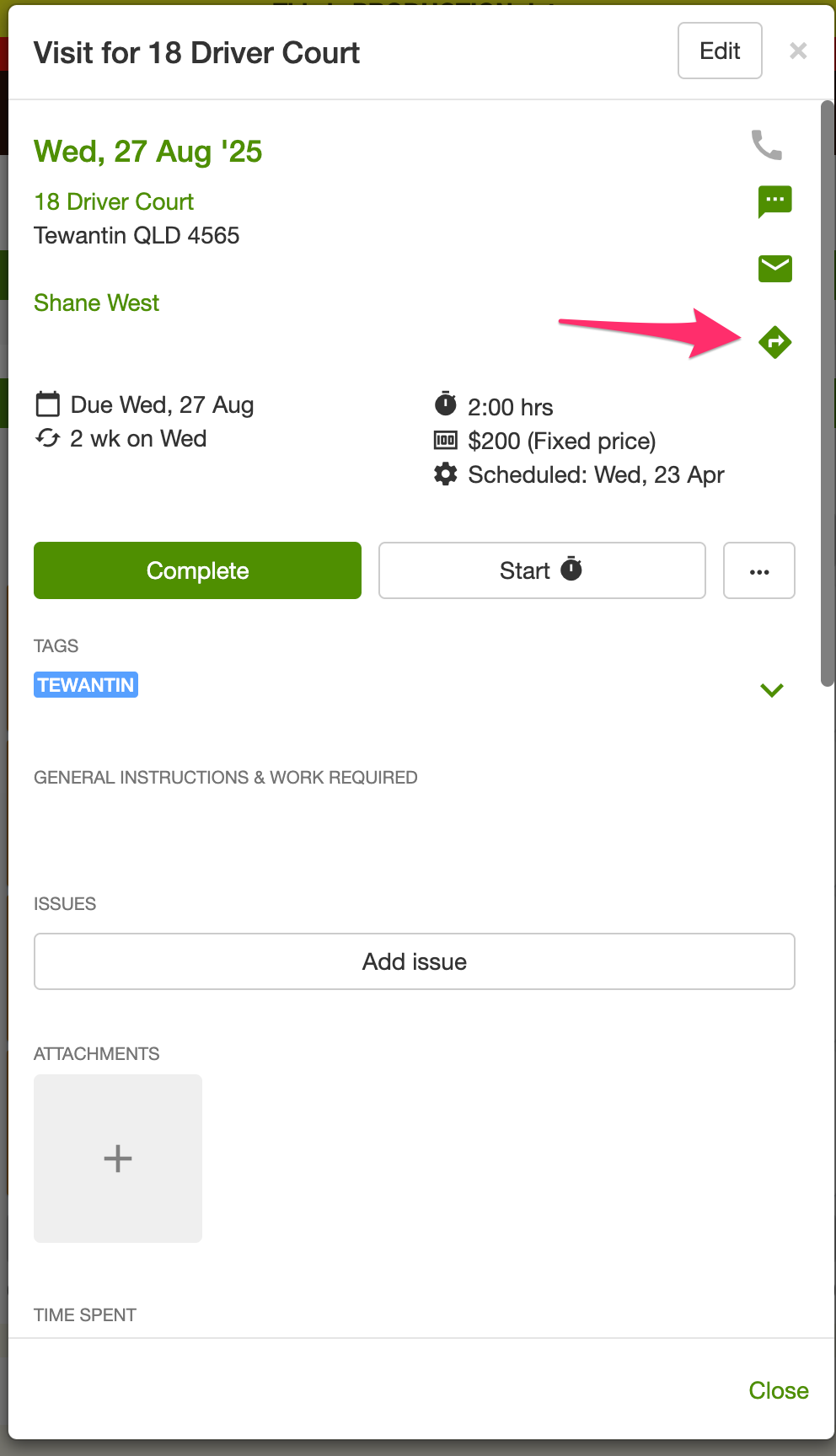
- Once the job opens, click on the “directions” icon you will find on the right hand side of the screen.
On an iPhone, in the SortScape app, Apple Maps is used until you choose another app.
- The first time, if Google Maps or Waze is installed and you have not chosen yet, SortScape shows Get directions with. Tap Google Maps. Leave Remember my choice on to keep it.
- Google Maps and Waze only appear when those apps are installed on the iPhone.
- To change it later, open Settings → This device → Directions app, then tap Google Maps. You can also choose Ask every time.
- The same choice is what Go uses in Apple CarPlay.
On Android, the directions icon opens the phone’s chooser. Pick Google Maps or Waze there. There is no Directions app row in Settings. In Android Auto, Go uses the navigation app already set on the car.
In a web browser, the directions icon opens Google Maps.