

August 2026: Public holidays, new schedule, and more
Last updated:
This update was emailed to customers on 28 August 2026. Each item below links to the full how-to article where one exists.
Admin can take up more of the day than it should, whether you are rearranging after rain, retyping a lead or checking how the week is going. This update helps take some of that friction out.
The schedule, rebuilt
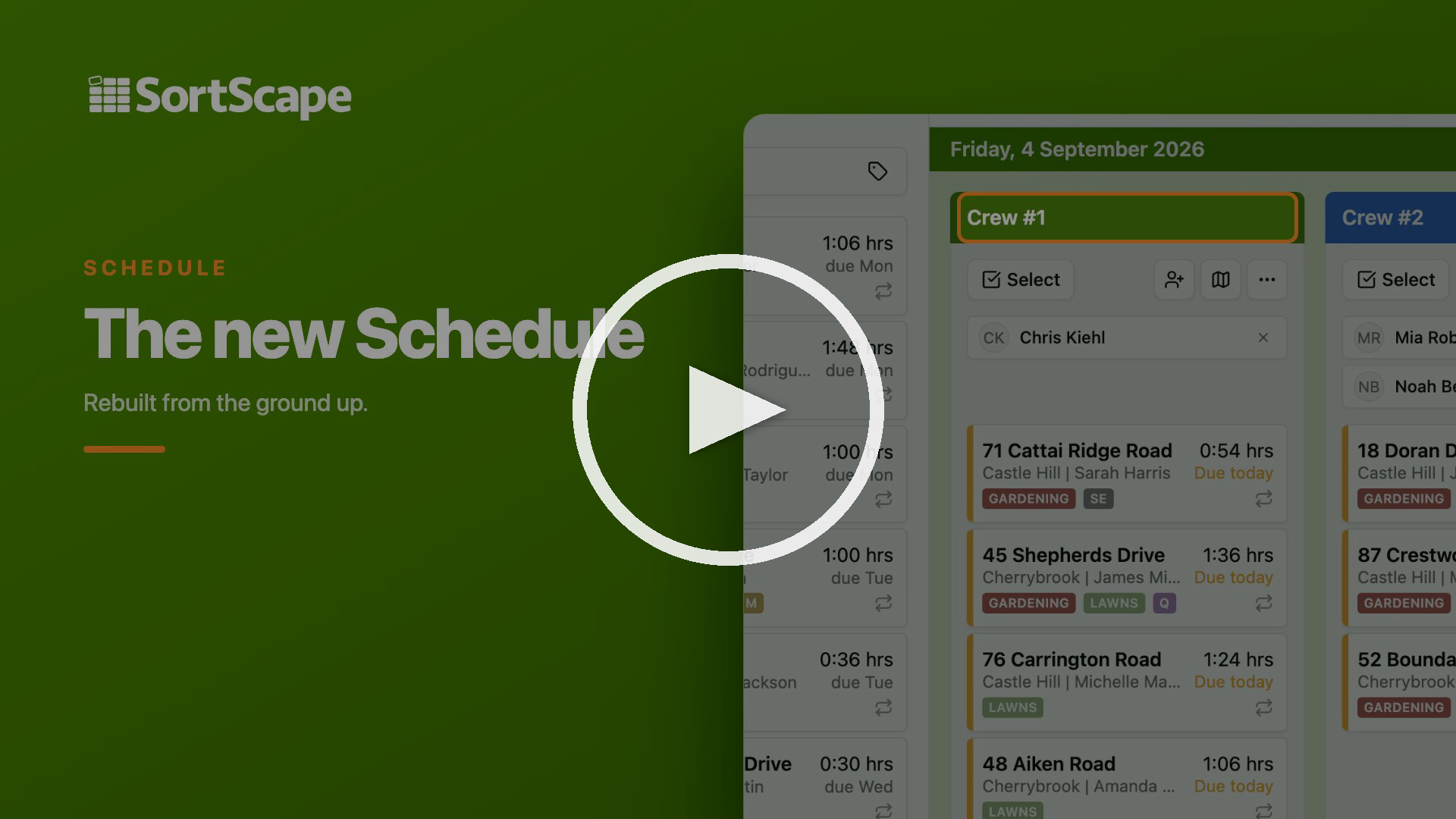
Section titled “The schedule, rebuilt”We’ve completely rebuilt the schedule from the ground up to give you the speed and flexibility you need to manage the business day.
The new schedule loads faster so you spend less time waiting to view or update visits. The old schedule could struggle under the weight of lots of visits, particularly in month view. If you avoided month view in the past, give it another go. You’ll immediately notice the new snappiness.
New custom crew colours also help you tell job runs apart at a glance.
If someone has started the visit timer, you can spot it right on the schedule, so you know which jobs are already in progress.
And when plans change, multi-select lets you select several visits and move, complete, notify, or skip them together. So if rain wipes out your afternoon you can select the affected visits and move them in one go.
Public holidays, marked on the schedule
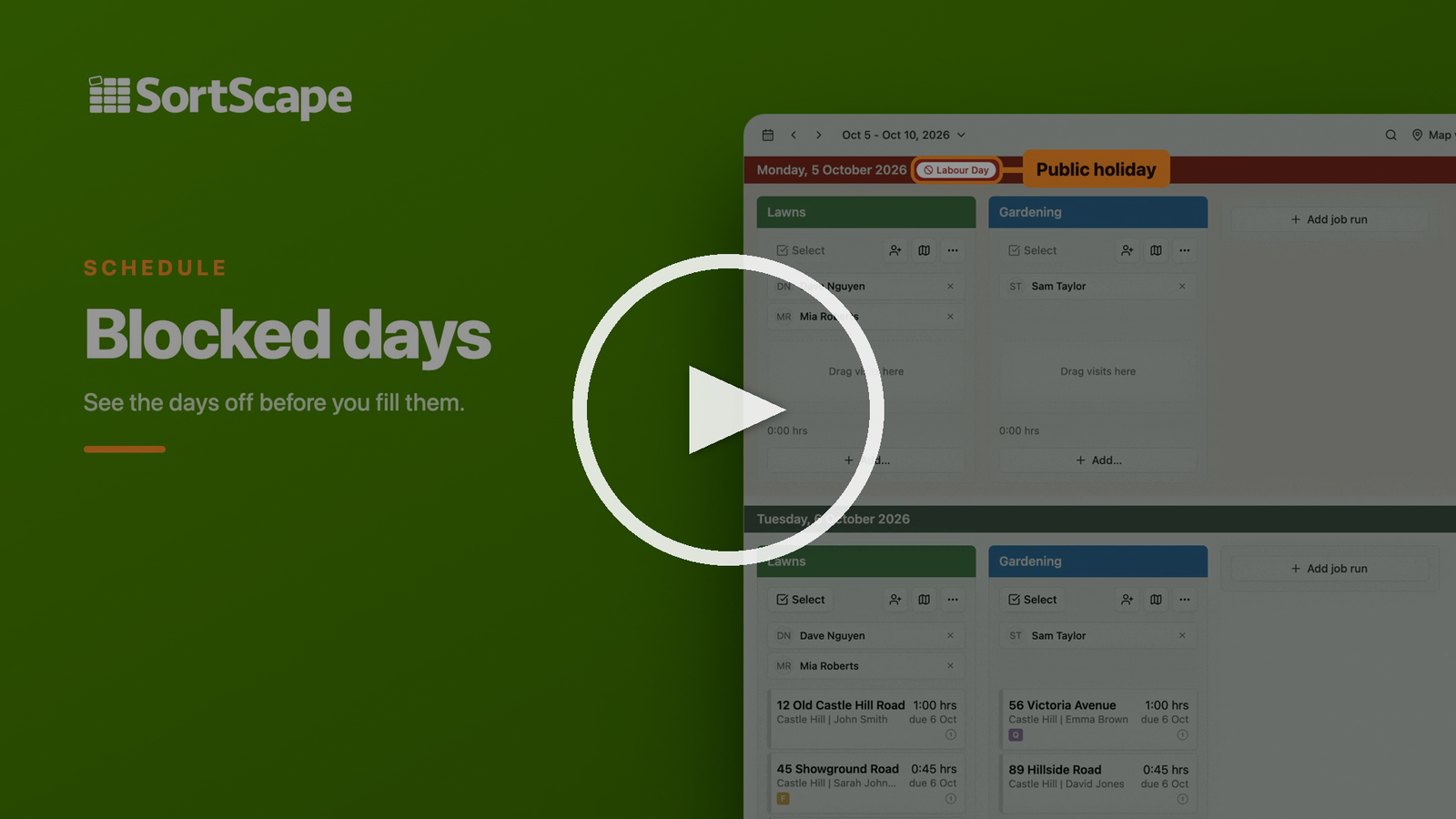
Section titled “Public holidays, marked on the schedule”When viewing your schedule you can now see all your public holidays and key dates so you can plan around them.
You can add your own custom blocked days (like a long Christmas shutdown, a team offsite) or automatically import public holidays for your region. Those dates are then highlighted on both the schedule and the roster so you see them before you fill your day.
Check out our video below or read the documentation.
AI Receptionist: now available in New Zealand. Try it for free
Section titled “AI Receptionist: now available in New Zealand. Try it for free”If the phone rings while you are mowing, it is easy to miss a good lead. AI Receptionist answers the call, captures what the customer needs, and sends you the details so you can follow up later. Customers get a response right away, and you do not have to manually type in their information.
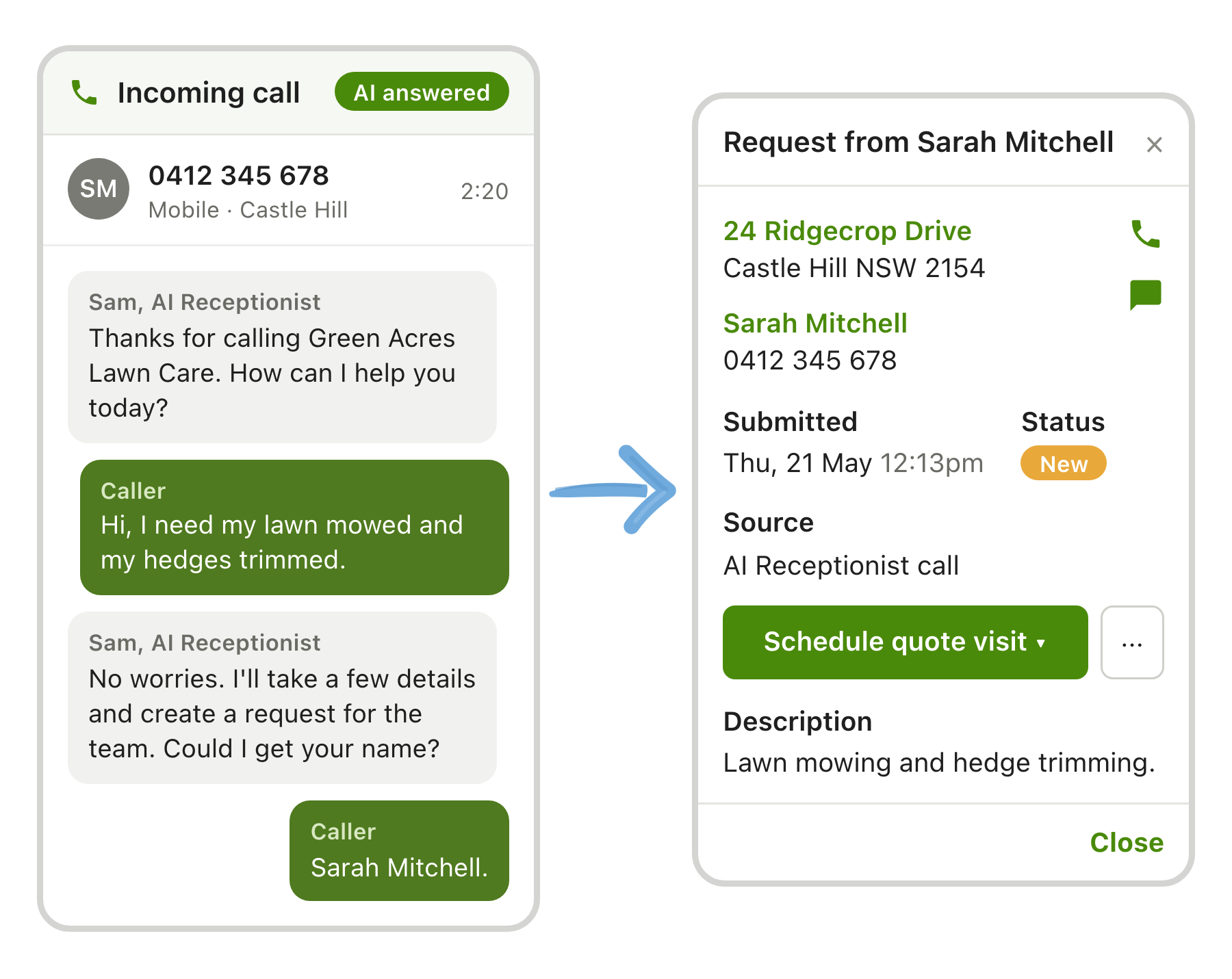
As promised, we have kept improving AI Receptionist and expanded its availability to New Zealand. We have also refreshed the call forwarding guide to make setup more reliable, and tightened the default greeting so it is shorter and clearer.
By popular demand, existing SortScape customers in Australia and New Zealand can now try AI Receptionist free for 30 days. As part of the trial, you’ll get your own dedicated inbound phone number to forward calls to.
Given these recent updates, we’ve extended the introductory pricing offer to 30 November. Customers who purchase on or before 30 November 2026 lock in 50% off for their first 12 months.
Start a free trial now from AI Receptionist. See AI Receptionist documentation.
Send SMS reminders to multiple numbers
Section titled “Send SMS reminders to multiple numbers”Sometimes one SMS reminder is not enough. A husband and wife may both want to know when you are coming. A resident and their carer may both need the message.
You can add extra mobile numbers on a contact (up to four including the primary). Visit, quote, and invoice texts go to each number. That means fewer locked gates and missed visits because someone did not get the reminder.
See Multiple mobile numbers for SMS reminders.
Turn any lead email into a request (Premium)
Section titled “Turn any lead email into a request (Premium)”In a previous update, we introduced turning Jim’s leads emails into requests. Now we’ve expanded that same feature so it also works with other lead emails, as long as they contain the key details.
That can save a lot of copying and pasting into SortScape between jobs.
SortScape gives you your very own inbox where you can forward these lead emails. SortScape then processes the email, pulls out the relevant information, and turns it into a request. Then you can schedule a quote visit or build a quote straight away.
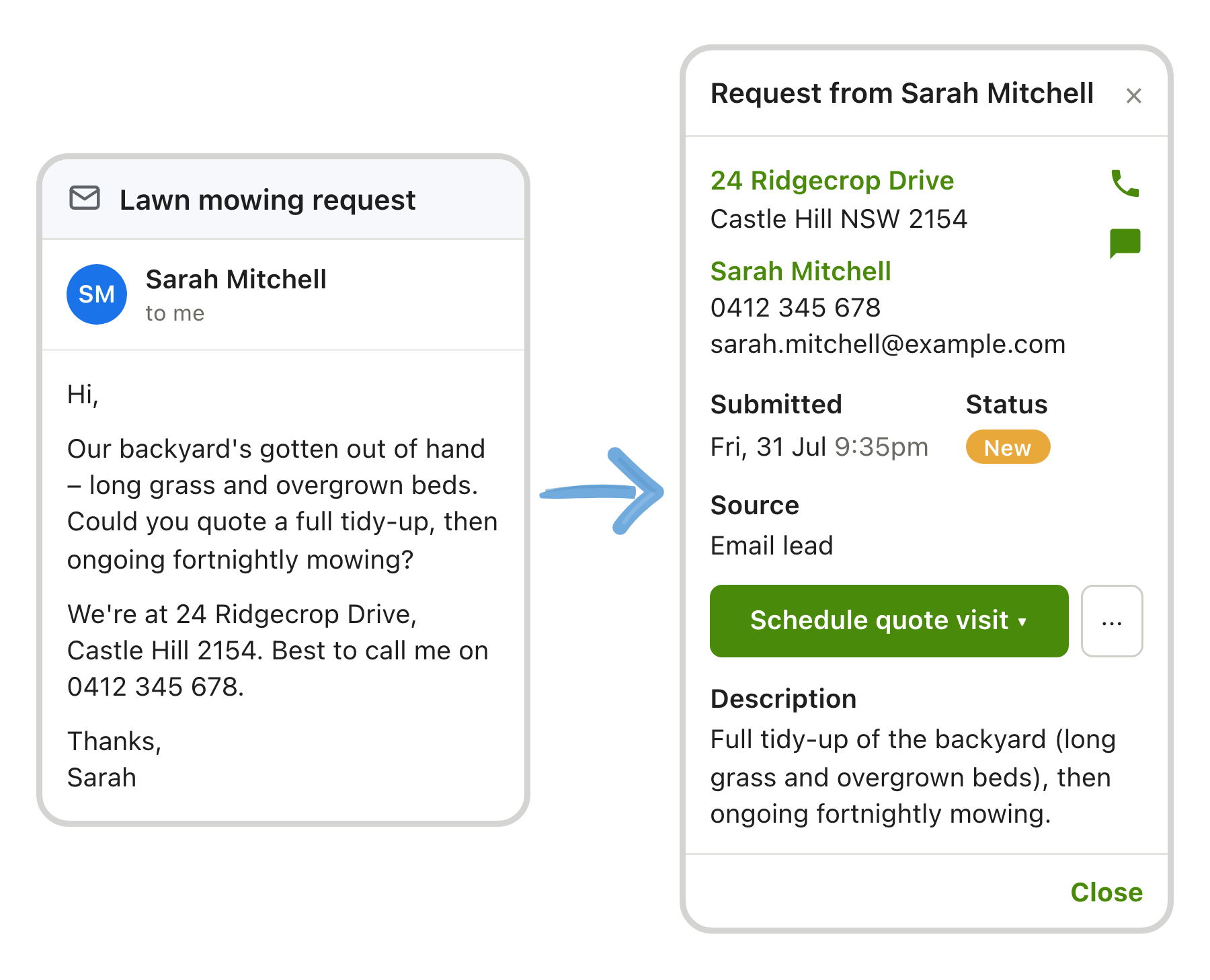
We’ve also made requests more powerful by:
- Letting customers upload photos when they fill out your external request form.
- Letting you convert issues into requests (and carry over photos), so you can generate a quote without retyping the information.
- Letting you bulk archive requests when you need to clear processed leads.
Quoting improvements
Section titled “Quoting improvements”When you are quoting regularly you want to track your progress and maintain a clean pipeline so you always know what follow-up is required.
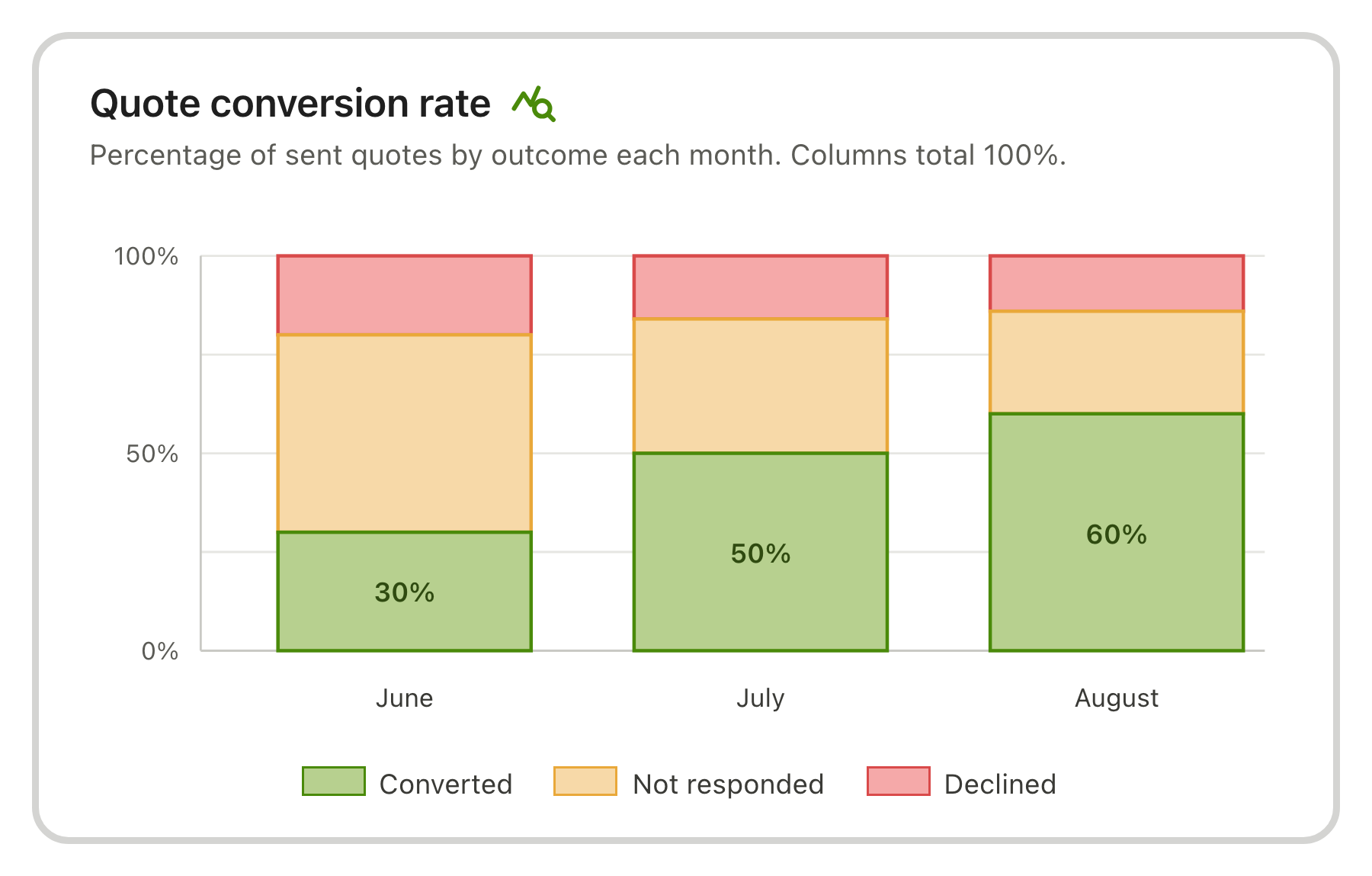
- To see how well you’re converting quotes, open the quote conversion charts to see what percentage of quotes are accepted or declined (Premium).
- If you want to run your own reports, export your quotes list to CSV so you can work with them in a spreadsheet.
- To help you keep your quotes list tidy, archive finished quotes so you stay focused on what is still active. You can unarchive any time.
- To save you time managing follow-ups, customers can accept or decline quotes themselves. If they decline, SortScape can prompt them for a reason, and you get an email or push notification. See accepting or declining quotes.
Other improvements
Section titled “Other improvements”- If you use SortScape built-in invoicing (not Xero or QuickBooks Online):
- You can email or text a payment receipt when you record a payment. Online card payments send the email receipt automatically. See Sending payment receipts for invoices.
- Set payment terms and a default tax treatment on a per-contact basis. See Setting invoice defaults for a contact.
- If you have multiple people manning the SMS replies inbox, you can mark an SMS conversation unread after you open it so the next person knows to have a look. See Text message replies.
- If you have multiple staff, you can add annual leave on the roster as a date range (for example, two weeks off), instead of setting each day individually. See Setting employee availability on the roster.
- Now you can email or SMS a Xero invoice from SortScape after it’s been created. (Previously, you could only send the invoice while you were creating it.) See Sending invoices after they have been created (Premium).
- If you run service reports, you can now optionally include open issues as outstanding items, so the customer sees what is still open. See Sending a job report to clients (Premium).
- To see what your clients are worth, we’ve added a cut value report on Reports → Customers (Premium).