

How can I view the list of unscheduled jobs?
Last updated:
The Unscheduled column is on the Day, Week, and Month schedule. It is not on Calendar view. Switch to Day, Week, or Month to open it.
On a computer, if the Unscheduled column is minimised to a thin strip on the left, click the panel icon at the top of that strip to open it.
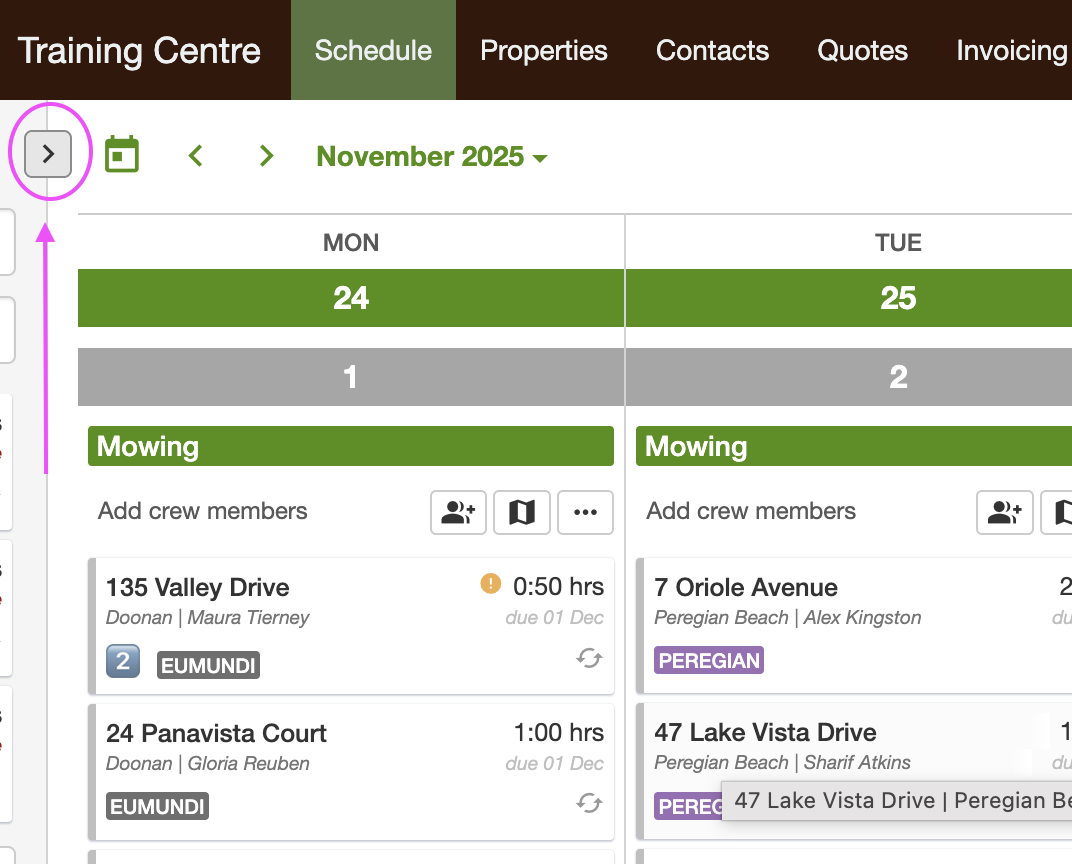
On a phone held upright, tap the panel icon at the left end of the schedule toolbar, just before the date arrows. The Unscheduled list slides in from the left. Tap outside the list to close it. This works in the mobile app and in a phone browser.
If you turn the phone to landscape, the column sits beside the schedule instead, like on a computer.
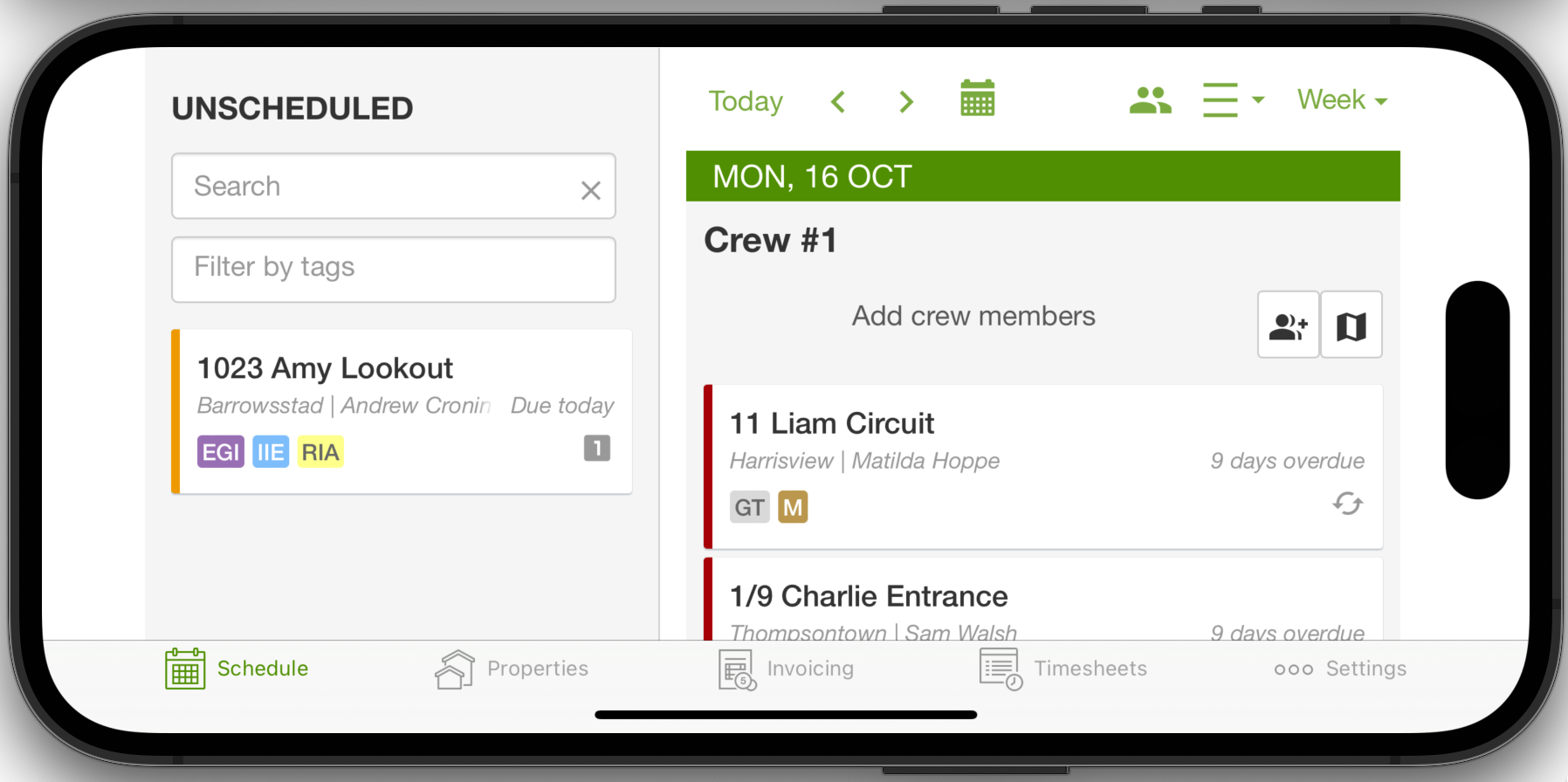
The column is on the left. Search and tag filtering share one Filter box (see below). Older screenshots may still show a separate Filter by tags field.
You can also drag a scheduled job into this column to move it to unscheduled. See Rescheduling jobs in SortScape for more details.
To select several unscheduled jobs at once and skip, complete, or add them to a day, see Bulk selecting jobs on the schedule.
How the list is ordered
Section titled “How the list is ordered”The Unscheduled list is sorted by due date, earliest first. Jobs and notes due on the same day are sorted by suburb.
You can’t drag items up or down within the list to set your own order. To move a job or note higher, open it, click Edit and give it an earlier Due date. To pick out your most urgent work, add a tag such as Urgent to those jobs, then choose that tag in the Filter box (see below).
Filter unscheduled jobs
Section titled “Filter unscheduled jobs”The Unscheduled column has one Filter box. Type to search, and use the tag button in that same box to pick job tags.
To filter the list:
- Open Schedule.
- If Unscheduled is collapsed, click the panel icon at the top of the strip on the left. On a phone held upright, tap the panel icon at the left end of the schedule toolbar.
- In the Filter box, type a contact name, property address, suburb, or postcode.
- To filter by tag, click the tag icon on the right of the box (it is labelled Filter by tag). Choose one or more tags. Selected tags appear as chips in the box.
If you pick more than one tag, a job must have every selected tag to stay in the list. You can combine typed search and tags.
This Filter box only changes the Unscheduled list. The magnifying glass on the schedule toolbar is a separate filter for jobs already on a day. See Filter the schedule by tags.
If nothing matches, the column shows No matching jobs. Clear the box, or press Escape, to see the full list again.